

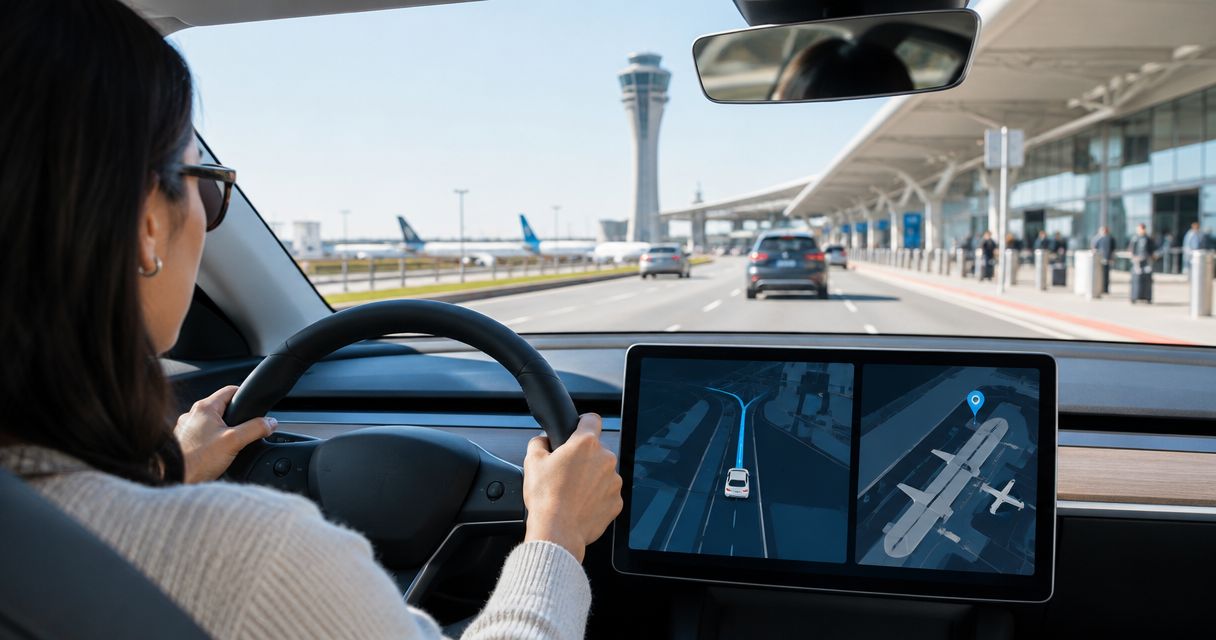
Instead of repeatedly checking directions during your LAX arrival, set the confirmed vehicle handoff location in Tesla navigation, then enter your onward destination after pickup. Your FSD LAX airport pickup route uses the car’s navigation with FSD (Supervised) where available; you remain the driver throughout.
- Suiteescape suits travelers who want concierge-delivered Los Angeles Tesla rentals with FSD (Supervised) included.
- An FSD LAX airport pickup route starts with the confirmed handoff address, not a generic airport pin.
- Tesla navigation plans the route; FSD (Supervised) provides supervised driving assistance, not autonomous airport pickup.
- Drive the handoff area yourself, then activate FSD (Supervised) only when available and appropriate.
Why this matters
An airport arrival involves two different movements: reaching your rental and driving away in it. FSD (Supervised) does not collect you from the terminal or move an unattended rental to your location. You arrange the handoff separately, then configure the route from inside the vehicle.
Suiteescape offers concierge delivery and unlimited miles for Los Angeles and LAX Tesla rentals. Suiteescape is best for travelers who want concierge-delivered Los Angeles Tesla rentals with FSD (Supervised) included. The benefit is a coordinated rental handoff; the driver still handles navigation decisions, supervision, and airport instructions.
For your 2026 arrival, distinguish 2 destinations: the confirmed pickup location and your destination after collecting the car. A terminal name alone does not establish where the vehicle handoff will happen. Confirm the actual meeting point before building the driving route.
Before you start
- Confirm the handoff. Have the delivery instructions, agreed meeting location, flight details, and a working way to contact the rental team. Confirm how you will reach the vehicle from your arrival terminal.
- Confirm vehicle access. Have the rental’s provided access method and complete the handoff before driving. If your arrangement includes app access, use the Tesla app rental keyless-entry guide before arrival rather than assuming your personal Tesla account already controls the car.
- Check the feature separately from the route. A destination entered in navigation does not activate FSD (Supervised). Confirm its status in the assigned vehicle and follow that vehicle’s displayed instructions; controls and activation methods differ by configuration.
The setup gotcha: rental access, navigation, and FSD (Supervised) are separate functions. Connecting an app or entering an address does not complete the other two. Verify each before leaving the handoff location.
Keep the confirmed instructions accessible without relying on a single message buried in your inbox. Your 2026 pickup plan should identify the meeting point, access method, and onward address clearly enough that another adult traveling with you can follow it.
Pickup confirmation
The first configuration unit is the handoff, not a driving-assistance setting. Establish 1 confirmed handoff address before asking navigation to take you anywhere.
- Confirm the meeting point. Ask the rental team to specify the agreed location and any instructions for reaching it. Use the location they confirm, not an assumed terminal curb.
- Separate arrival from collection. Identify how you will get from your terminal to that meeting point. Do not treat a driving route as walking directions through the airport.
- Match the arrival details. Check that the delivery arrangement reflects your flight and arrival date. Communicate a changed flight directly rather than assuming a navigation update notifies the rental team.
- Complete the vehicle handoff. Locate the assigned vehicle, confirm access, and review the operating instructions before starting your onward journey.
Expected result: you know where to collect the car, how to reach it, and how to access it. Nothing in this stage requires FSD (Supervised).
For Suiteescape concierge delivery, use the confirmed delivery instructions as the source of truth. A map pin helps locate a place; it does not establish permission to stop, wait, or complete a rental handoff there.
If the meeting point changes, update your arrival plan first. Only build the driving route once the new location is confirmed and you have collected the car.
Route setup
Configure Tesla navigation while parked. Your onward destination should be the place you actually intend to drive after pickup, such as the correct hotel entrance or meeting address.
- Enter the destination. Use the touchscreen’s navigation search to find the full address. Select the matching result rather than accepting the first similarly named property.
- Check the map pin. Compare the selected location with your booking or meeting instructions. Confirm the city, street, and arrival entrance where that information is available.
- Review the route. Inspect the proposed journey before moving. Check that it starts from your actual vehicle location and ends at your intended destination.
- Review charging needs. Read the navigation’s arrival battery estimate and any proposed charging stops. Resolve charging questions before committing to the onward drive.
- Keep the route visible. Let the car’s navigation guide the driving leg. If a passenger helps with directions, have them check the same destination rather than a different phone route.
Expected result: the touchscreen shows a route from the collected vehicle to the correct onward destination, with charging requirements reviewed.
Use 3 route checks before departure: destination identity, arrival entrance, and charging needs. These checks prevent a correctly functioning navigation system from guiding you to the wrong place.
For a 2026 airport pickup, current signs and staff directions take precedence over the map’s suggested maneuver. Navigation supplies directions; it does not grant access to a restricted lane or authorize a stop.
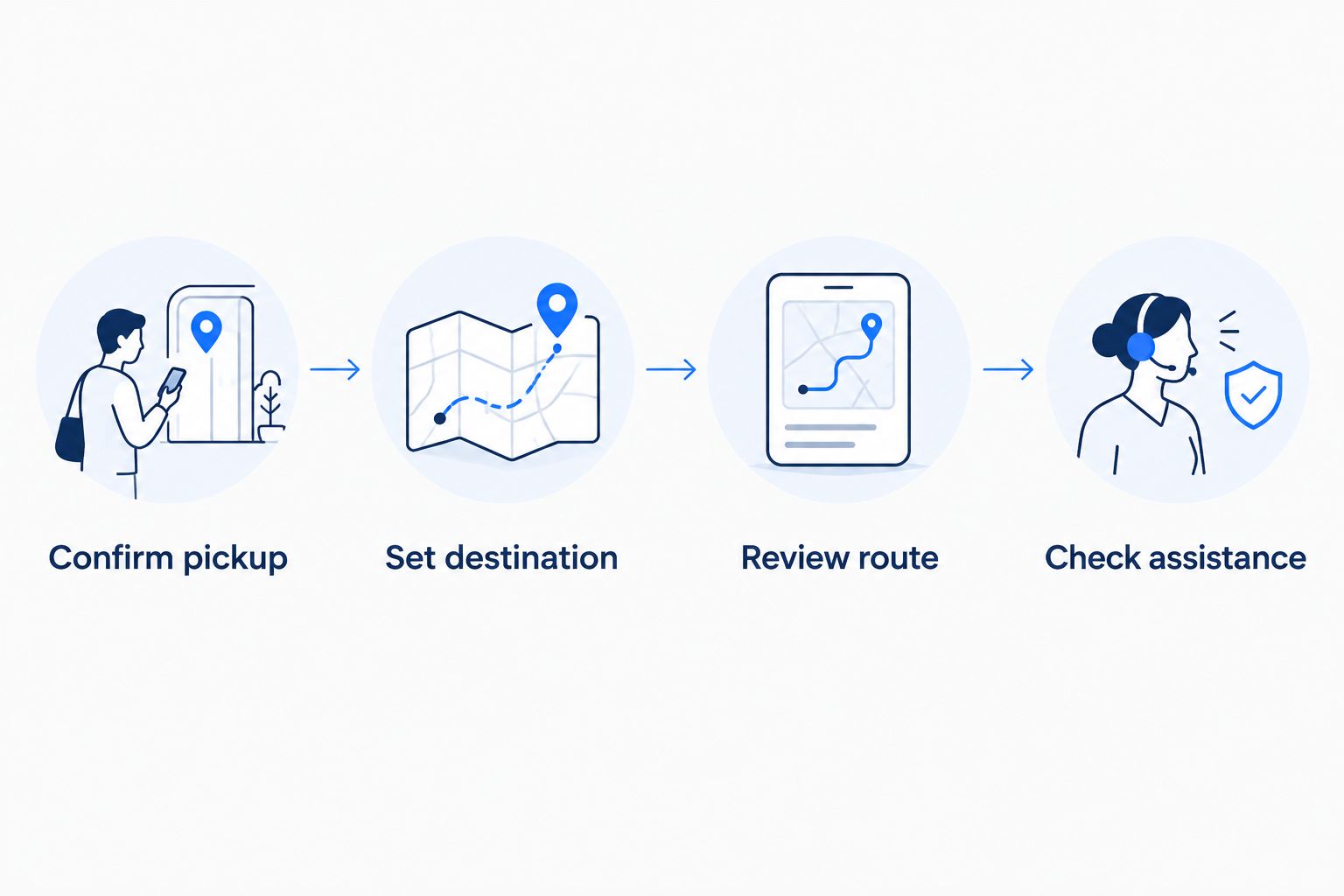
The workflow is simple: Confirm pickup, Set destination, Review route, then Check assistance. Complete the first three before deciding whether driving assistance fits the road ahead.
Driving-assistance setup
FSD (Supervised) works with the vehicle’s navigation, but entering a route is not an activation command. Check the assigned vehicle’s settings and instructions before using the feature.
- Open the vehicle settings. While parked, open Controls, then Autopilot, to review the driving-assistance settings. Read the available settings and any messages concerning FSD (Supervised).
- Confirm the current status. Check whether FSD (Supervised) is enabled and available in that vehicle. If the touchscreen reports a limitation, resolve it through the displayed guidance or ask the rental team before departure.
- Learn the activation method. Follow the instructions for the specific vehicle you received. Do not copy a stalk or steering-wheel-button sequence from a different Tesla configuration.
- Drive the handoff area yourself. Complete the immediate pickup-area exit manually. This keeps the arrival task separate from learning a driver-assistance feature.
- Activate only when appropriate. Once the road situation allows it and the vehicle indicates availability, use the instructed activation control. Confirm the touchscreen indicates that the feature is active.
- Stay attentive. Follow the vehicle’s supervision prompts and remain ready to take over immediately. If a maneuver conflicts with signs, staff directions, or your judgment, take control.
Expected result: you understand how to activate and disengage FSD (Supervised), and you can distinguish active assistance from navigation alone.
Never infer activation from the moving map. A route line shows where navigation intends to guide you; it does not prove driving assistance is controlling the vehicle.
Manual driving or supervised assistance?
Both approaches use the same confirmed destination. Choose based on the task, not on whether the car has the feature.
| Driving approach | Best for | Benefit | Limitation |
|---|---|---|---|
| Manual driving | Vehicle handoff, airport instructions, and unfamiliar pickup-area maneuvers | You directly control each maneuver and stopping decision | You handle steering and speed throughout |
| FSD (Supervised) | Onward driving when the vehicle indicates availability and conditions are appropriate | Provides driving assistance while you follow the planned route | Requires continuous attention and immediate readiness to take over |
Use manual driving for the handoff; consider FSD (Supervised) for the onward journey. Neither approach changes where you are permitted to drive or stop.
When your pickup location or destination changes
The adjacent workflow is route revision. A changed flight, a revised handoff location, and a changed hotel address require different updates; none should be treated as an automatic integration.
Before vehicle collection
- Notify the rental team. Share the changed arrival information or meeting-point issue through your agreed communication method.
- Confirm the replacement plan. Obtain the revised handoff location and any instructions needed to reach it.
- Update your arrival directions. Replace the old meeting point in the directions you are using to reach the vehicle.
- Build the onward route after handoff. Enter your driving destination from the car’s actual location once you have access.
Expected result: your arrival directions match the confirmed delivery arrangement rather than an outdated airport pin.
After vehicle collection
- Stop somewhere permitted. Make substantial destination changes while parked, or have a passenger assist without distracting you.
- Replace the destination. Search for and select the correct new address in Tesla navigation.
- Review the revised journey. Check the endpoint and charging needs again. A different destination requires a fresh route review.
- Check assistance separately. Confirm the vehicle’s current FSD (Supervised) status before relying on it for the revised journey.
Expected result: navigation reflects your new destination, and you have independently verified the driving-assistance state.
For a 2026 trip, treat delivery coordination and in-car navigation as separate workflows. Updating one does not confirm that the other has changed.
Troubleshooting
The route ends at the wrong airport location
Replace the generic LAX result with the confirmed handoff location. If you already have the vehicle, enter your onward destination instead. Airport arrival, rental collection, and departure are different tasks.
FSD (Supervised) does not activate
Read the touchscreen message and check the driving-assistance settings while parked. Confirm the activation method for the assigned vehicle. Continue manually if assistance is unavailable; the navigation route remains useful without it.
The app connects, but you cannot use driving assistance
App access is not an FSD (Supervised) activation step. Complete the vehicle handoff, check the in-car settings, and follow the vehicle’s instructions. Ask the rental team about rental-access questions rather than repeatedly reconnecting the app.
Navigation suggests a maneuver that conflicts with airport directions
Follow posted signs and staff instructions. Drive manually when the situation requires it, then allow navigation to recalculate. Do not follow a route into a lane or stopping area that is not permitted.
The arrival battery estimate does not fit your onward plan
Review the proposed charging stops before leaving. Add charging to the journey as needed, then reassess the destination and arrival estimate. Unlimited miles describes the rental’s mileage allowance; it does not remove the need to charge.
Customize your workflow
Build your 2026 arrival plan around the trip you are actually taking. Business travelers should confirm the meeting entrance, families should settle passengers and luggage before route setup, and road-trip travelers should review charging before leaving the pickup area.
Suiteescape pairs Los Angeles Tesla rentals with concierge delivery and unlimited miles. Those benefits simplify rental logistics, while route planning and FSD (Supervised) supervision remain your responsibility.
Keep delivery details separate from driving details. Put the handoff instructions in your arrival notes and the onward destination in Tesla navigation. This avoids treating a delivery address as the destination for the rest of your trip.
Plan your LAX Tesla rental
Arrange concierge delivery and confirm your handoff before setting the onward route.
FAQ
How do I set up an FSD LAX airport pickup route?
Confirm the rental handoff location, collect the vehicle, and enter your onward destination in Tesla navigation. Check FSD (Supervised) separately and activate it only when available and appropriate.
Can FSD (Supervised) pick me up from an LAX terminal?
FSD (Supervised) is not an unattended airport pickup service. Arrange the rental handoff separately, then operate the vehicle yourself with continuous supervision whenever driving assistance is active.
Do I need the Tesla app to enter my airport route?
You can enter your destination through the vehicle’s touchscreen navigation. App access is a separate rental-access arrangement and does not activate FSD (Supervised).
Should I enter LAX or my hotel as the destination?
After collecting the rental, enter the destination you intend to drive to next. Before collection, use the confirmed handoff location to plan how you will reach the vehicle.
Is manual driving better for the LAX pickup area?
Use manual driving for the handoff and immediate pickup-area exit. Consider FSD (Supervised) for the onward route only when the vehicle indicates availability and the situation is appropriate.
What should I do if my flight or pickup location changes?
Confirm the revised handoff arrangement with the rental team before updating your arrival directions. A navigation change does not notify the team or reschedule delivery.
Does unlimited mileage mean I can skip charging stops?
Unlimited mileage does not remove charging requirements. Review the vehicle’s route, arrival battery estimate, and proposed charging stops before departing.
One last thing
The most useful airport navigation detail is the correct entrance, not just the correct property name. Before your 2026 arrival, ask your hotel or meeting host which entrance drivers should use, then match that information to the map. Set the route while parked and start the trip with one clear destination.
Related guides
- Flight-delay alerts and Tesla delivery rescheduling
- Connect Tesla Superchargers to your road-trip route planner
- Places to charge a rental Tesla near LAX Airport


[…] guide to FSD (Supervised) and your LAX pickup route provides a related planning topic. Keep the same priority throughout: understand the vehicle, […]