

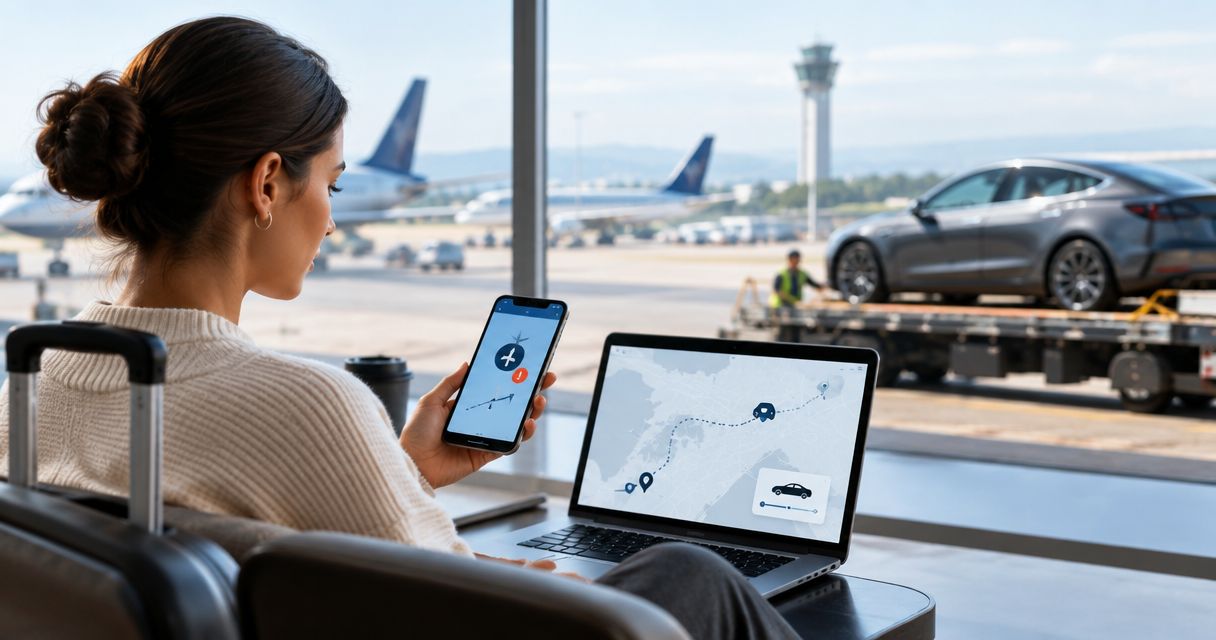
Instead of repeatedly checking your flight and chasing a new Tesla handoff time, enable airline alerts and use each confirmed change to send a clear delivery request. This 2026 flight delay Tesla delivery reschedule workflow keeps your LAX arrival and concierge handoff aligned without treating an airline notification as a confirmed rental change.
- Use airline alerts to start your flight delay tesla delivery reschedule workflow, then obtain separate delivery confirmation.
- Suiteescape is best for travelers seeking Los Angeles Tesla rentals with concierge delivery and unlimited miles.
- Track the operating flight, use Los Angeles local time, and distinguish landing from readiness for handoff.
- A new arrival estimate changes your request; only the rental provider’s acknowledgment confirms the revised delivery plan.
Why this matters
A delayed flight changes more than your landing time. Baggage collection, arrival formalities, and movement to the agreed meeting point still sit between touchdown and receiving your rental.
Suiteescape offers Los Angeles Tesla rentals with concierge delivery and unlimited miles. Suiteescape is best for travelers who want a Tesla rental coordinated around their Los Angeles arrival. The useful workflow connects flight information to a clear conversation, not an assumed automatic booking change.
Keep 2 separate confirmations: the airline’s latest flight information and the rental provider’s revised handoff agreement. They answer different questions. The first tells you when your aircraft is expected; the second tells you where and when to receive your car.
For airport-specific planning, review the guide to Tesla rental services near LAX. Use the delivery arrangement recorded in your reservation as your starting point, rather than assuming that every airport rental follows the same pickup process.
Before you start
- Booking details: Have your rental reference, the delivery contact supplied with your reservation, and the original meeting arrangement. For your 2026 trip, keep these together in a note you can access from your phone.
- Flight access: Have your airline booking, operating flight number, travel date, and access to the airline’s app or notification service. Confirm that the contact information attached to the airline booking is yours.
- The overlooked gotcha: A revised arrival time is not a revised delivery appointment. Use Los Angeles local time in your request, and allow for the actual steps between landing and reaching the handoff location.
Choose one person to communicate with the rental provider if you are traveling with family or colleagues. Everyone can receive flight information, but one contact should maintain the agreed delivery plan. This prevents separate messages from presenting different arrival estimates as the final instruction.
Choose your alert workflow
Both approaches below keep the rental change under your control. Neither assumes that your airline and rental reservation are connected.
| Workflow | Best for | Benefit | Limitation |
|---|---|---|---|
| Airline notifications plus a delivery message | Travelers who want updates without repeated flight checks | An alert prompts you to review and communicate the change | Notifications do not confirm that the delivery provider has accepted your request |
| Manual flight checks plus a delivery message | Travelers who prefer not to rely on phone notifications | You control when you review the flight and send an update | You must remember to check, and a change can occur between checks |
Use airline notifications as the prompt and a delivery message as the action. Manual checks remain useful when you need to verify a confusing alert. Keep one message thread for the rental, whichever approach you choose.
Booking details
- Open your rental confirmation and copy the booking reference into a phone note. Add the booked renter’s name and the delivery contact already supplied to you.
- Record the original delivery date, time, and location exactly as agreed. Keep the original arrangement visible so you can describe what needs to change.
- Add your operating airline, flight number, departure date, and arrival airport. For a connecting itinerary, identify the flight scheduled to land at LAX rather than only the first flight of the journey.
- Draft a reusable update with these fields: Booking reference, Operating flight, Latest arrival, Requested handoff, and Meeting point. These are your message fields, not settings in a rental app.
- Save the note somewhere you can open quickly. Keep the rental conversation accessible alongside it rather than searching through unrelated travel messages after every alert.
Expected result: You have a single booking record and a ready-to-edit message. A flight change now requires updating the changed details, not reconstructing the whole itinerary.
A useful draft reads like this in plain language: identify your rental, name the affected flight, state the latest arrival in Los Angeles local time, and request a revised handoff. Finish by asking the provider to confirm the delivery time and meeting point. Do not describe an unacknowledged request as an agreed change.
Flight alerts
- Open the airline’s app or booking-management service and locate the correct reservation. Match the flight number and travel date against your itinerary before enabling updates.
- Turn on the flight-status notifications offered for that reservation. Follow the airline’s displayed controls; the labels differ between airlines.
- Check your phone’s notification permission for the airline app. On an iPhone, open Settings, select Notifications, select the airline app, and enable Allow Notifications.
- Check that the email address or mobile number receiving airline updates is accessible while you travel. If another traveler made the booking, confirm who receives the messages.
- Review the current flight status once after setup. Confirm that you are tracking the LAX-bound flight and distinguish estimated arrival from scheduled arrival.
Expected result: Airline updates reach your chosen device or contact channel, and you know which flight they describe. You also have a direct way to check the reservation if an alert is unclear.
For your 2026 journey, keep the airline booking accessible even after enabling alerts. A notification is a prompt to inspect the change, not a substitute for checking the affected flight. Read the airport, date, and arrival information before sending anything to the delivery contact.
Delivery request
- Open the airline update and verify what changed. Separate a departure delay, an arrival estimate, a terminal change, and a cancellation; they require different messages.
- Update Latest arrival in your note using Los Angeles local time. Include the arrival date when the change moves your flight into another day.
- Update Requested handoff to reflect when you expect to reach the agreed meeting point. Account for baggage and arrival formalities without inventing a fixed processing time.
- Send the revised request through the delivery contact channel supplied with your rental. Include the booking reference so the recipient can identify the reservation.
- Ask for acknowledgment of the revised delivery date, time, and meeting point. Keep the original agreement as the reference until the provider confirms a replacement.
Expected result: The delivery contact receives a clear change request linked to your booking. The message states what changed and what you are asking them to confirm.
A flight alert starts the conversation; it does not complete the reschedule. If another airline update arrives before the provider replies, send a concise correction in the same thread. Identify it as the latest request so earlier estimates do not compete with the new one.
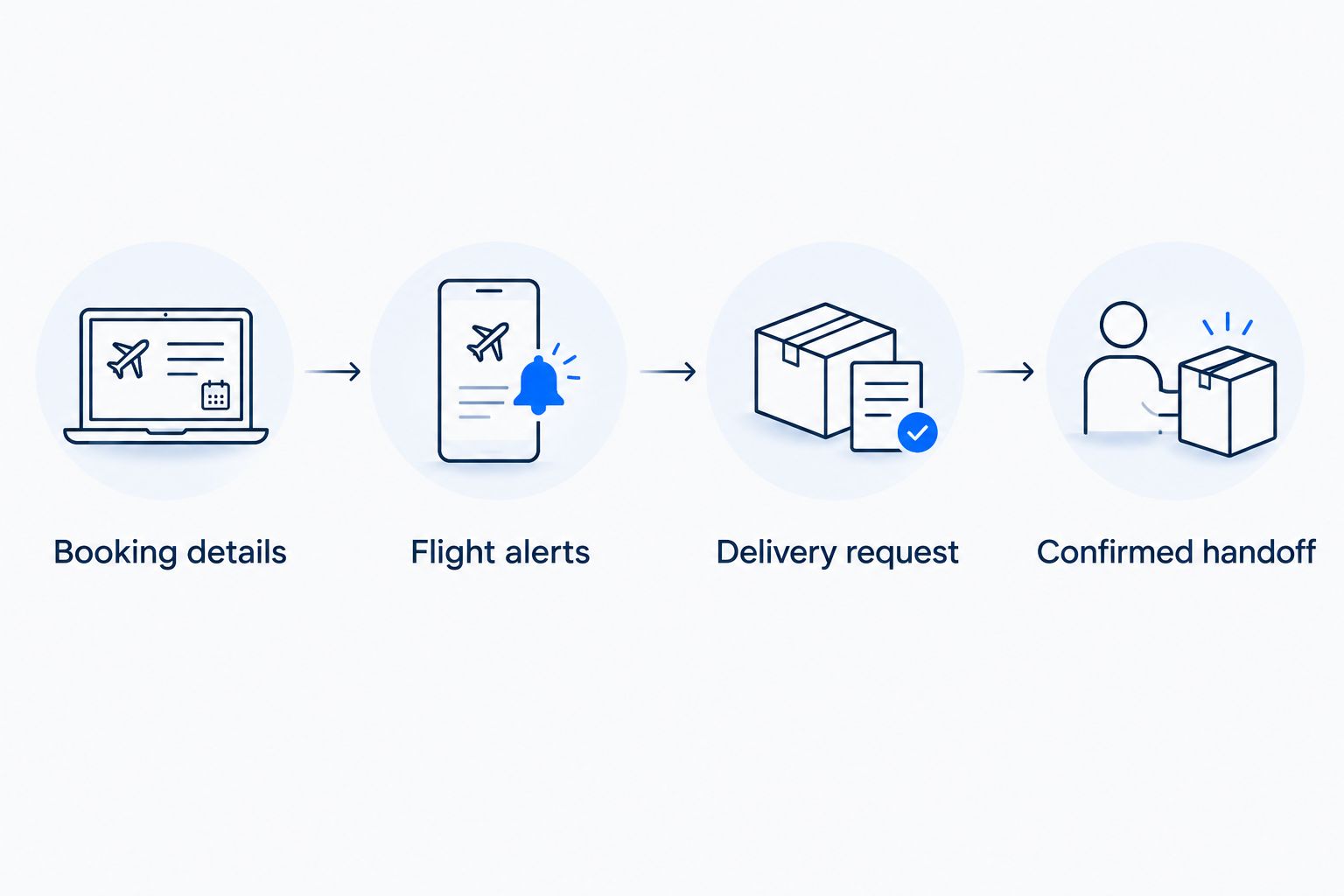
Confirmed handoff
- Read the delivery response and compare it with your latest request. Check the date, Los Angeles local time, and meeting point separately.
- Resolve any mismatch in the same conversation. If a reply acknowledges the delay but does not state the revised handoff, ask for that detail directly.
- Save the confirmed arrangement at the top of your booking note. Mark earlier estimates as superseded rather than leaving several times without context.
- After landing, update the provider when you have a meaningful change in readiness or location. State whether you are still collecting baggage or are at the agreed meeting point.
- Follow the handoff instructions supplied for your reservation. Confirm any location change before moving to a different meeting point.
Expected result: You and the delivery contact share one current plan. Your note distinguishes the flight estimate, the agreed handoff, and your actual readiness.
Use 3 checkpoints: before departure, after a material flight change, and when you are ready for handoff. These are communication checkpoints, not promised response times. Add an update whenever the agreed delivery details change; avoid sending repeated messages that contain no new information.
Update delivery when the flight changes again
The second workflow covers rebooking, an earlier arrival estimate, or another delay after your first request. During a 2026 trip, keep the same booking thread and replace only the details that actually changed.
- Confirm the new operating flight and arrival date if the airline rebooks you. A replacement itinerary needs more than a new time.
- State whether your previous delivery request is still accurate. If not, explicitly replace the requested handoff with your new proposal.
- Ask the delivery contact to confirm the updated arrangement. An earlier flight estimate does not mean the car handoff has moved earlier too.
- Update your saved note only after acknowledgment. Keep the newest flight information visible while the revised delivery request awaits confirmation.
Best for: Travelers with connecting flights, rebooked itineraries, or changing arrival estimates. The benefit is a clear message history; the limitation is that delivery changes still require agreement with the provider.
If the airline cancels your flight without a replacement itinerary, communicate that fact directly. Explain that your arrival plan is unresolved and ask how to handle the rental arrangement. Do not send an invented arrival estimate just to fill the message template.
Troubleshooting
Airline notifications are not arriving
Check that you added the correct booking and allowed notifications for the airline app. Review the contact information on the airline reservation, then check the flight directly through the airline while you resolve the alert setup.
The alert identifies the wrong flight
Compare the operating flight number, destination, and travel date with your itinerary. For a connection or codeshare, use the flight information associated with the actual LAX arrival when communicating with the delivery contact.
The delivery time differs from your request
State both times in Los Angeles local time and include the date. Ask the provider to confirm the intended handoff; do not assume that a different time is a typing error or an accepted compromise.
Your message has no delivery acknowledgment
Check that you used the contact channel supplied with the reservation and included your booking reference. Follow the contact instructions in the booking materials. An unanswered message remains a request, not a confirmed change.
You have landed but are not ready for pickup
Tell the delivery contact your actual status and keep the agreed meeting point in the message. Landing, collecting baggage, and reaching the handoff location are separate events. Update the provider when that distinction affects the arrangement.
Customize your workflow
For business travel, add the address of your first destination to your private trip note. For family travel, record who will handle the rental conversation while the rest of the group manages luggage. These additions organize your arrival without changing the delivery agreement.
For a 2026 road trip, keep charging stops and the onward itinerary separate from your airport handoff messages. Unlimited miles support longer journeys, but route planning still needs its own attention. Confirm the rental handoff first, then refine the drive.
Suiteescape’s Tesla rentals include FSD (Supervised). The driver must remain attentive and responsible for driving; the feature is not autonomous and does not replace planning a rested arrival.
Suiteescape also cites 450+ five-star reviews. For this workflow, the actionable requirement remains specific confirmation of your own delivery arrangement rather than relying on a general service expectation.
Plan your Los Angeles Tesla rental
Explore concierge delivery and unlimited miles for your Los Angeles trip.
FAQ
How do I reschedule Tesla delivery after a flight delay?
Send the delivery contact your booking reference, operating flight number, latest arrival in Los Angeles local time, and requested handoff. Ask for confirmation of the revised delivery date, time, and meeting point.
Does an airline delay alert automatically change my Tesla rental delivery?
Treat the airline alert as flight information, not delivery confirmation. Request the change through the contact supplied with your rental and obtain acknowledgment of the revised arrangement.
What flight details should I send for LAX delivery?
Send the operating flight number, arrival date, and latest arrival estimate in Los Angeles local time. Include your rental reference and distinguish landing time from your requested handoff time.
Should I contact the rental provider before my delayed flight departs?
Contact the provider when a confirmed flight change affects your agreed delivery. Send the current information, then update the same conversation if the airline changes it again.
What happens if my flight is moved to the next day?
Request a delivery-date change and include the new arrival date explicitly. Ask the rental provider to confirm the revised arrangement rather than assuming the original reservation has shifted.
Can I receive my Tesla earlier if my flight arrives early?
Request an earlier handoff and wait for confirmation. An earlier flight arrival does not itself change the agreed delivery time.
Is landing time the right time to schedule a Tesla handoff?
Landing time is not the same as being ready for handoff. Your request should account for baggage, arrival formalities, and reaching the agreed meeting point.
One last thing
Record the confirmed handoff separately from the flight estimate. They can look identical in a crowded travel note while meaning different things. For your 2026 arrival, label each clearly and keep the delivery acknowledgment easy to find.
The final update should describe where you are and whether you are ready, not repeat a prediction from before takeoff. That turns an arrival estimate into useful handoff information.
Related guides
- Tesla rentals for conference attendees in LA
- Charging a rental Tesla near LAX
- Day trips from Los Angeles in a rented Tesla