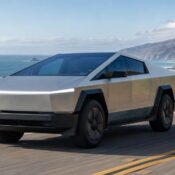

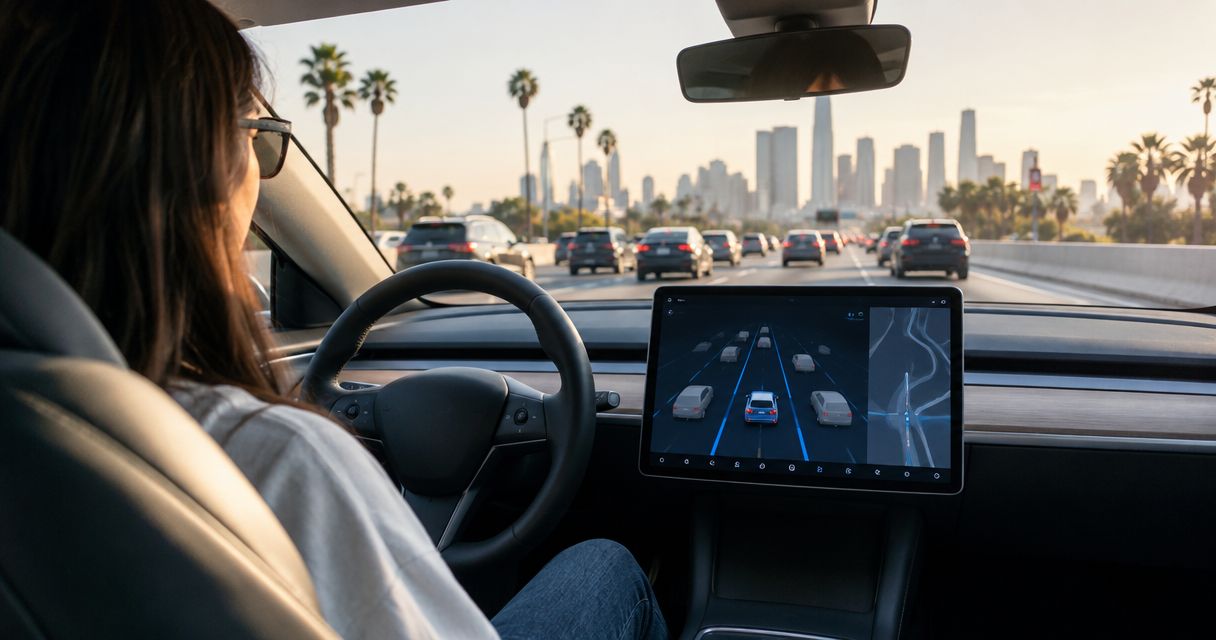
Yes, you can use FSD (Supervised) on a rented Tesla in LA traffic when the feature is active on that vehicle and the rental agreement permits its use. You remain the driver: stay attentive, follow the vehicle’s instructions, and be ready to take over immediately. For your 2026 rental, confirm access before booking and learn the controls while parked—not during the airport exit.
- To use full self driving on a rented tesla, confirm FSD (Supervised) access and rental permission before driving.
- FSD (Supervised) assists with driving; you must remain attentive and ready to take over immediately.
- Suiteescape includes FSD (Supervised) with its Los Angeles Tesla rentals, plus concierge delivery and unlimited miles.
- Start with a parked walkthrough, then choose a straightforward route rather than a busy airport pickup lane.
Why this matters
A Tesla reservation is not confirmation that you can use FSD (Supervised). Your booking needs to establish both vehicle access and permission to use the feature. Your pickup needs to establish that you understand it.
Suiteescape offers Los Angeles Tesla rentals with FSD (Supervised) included, concierge delivery, unlimited miles, and 450+ five-star reviews. Those benefits simplify the rental experience; they do not change your responsibility behind the wheel. Treat the handover as the moment to get comfortable with the car before joining traffic.
For a luxury trip, family vacation, or business visit, the useful question is not whether the car can replace your attention. It is whether the feature fits your route and whether you feel comfortable supervising it.
Can you use FSD (Supervised) on a rented Tesla in LA traffic?
Yes—when the rented vehicle has active FSD (Supervised), the rental terms allow it, and you can supervise it throughout the drive. Traffic does not remove that responsibility. Neither does a familiar route or a passenger helping with navigation.
Before your 2026 booking, ask for confirmation about the actual rental vehicle rather than relying on a general Tesla description. At pickup, check the feature in the vehicle and ask for a walkthrough of activation, cancellation, and driver-attention prompts.
Use this comparison to decide how to begin your trip:
| Driving approach | Best for | What you control or supervise | Main benefit | Main limitation |
|---|---|---|---|---|
| Manual driving | Getting familiar with the rental and handling a busy pickup area | You steer, accelerate, and brake | Direct control while you learn the vehicle | You perform the driving tasks yourself |
| FSD (Supervised) | Drivers who understand the feature and can continuously supervise it | You monitor the road and system behavior and take over when needed | Assistance with steering, acceleration, and braking | It requires active driver supervision and does not make the vehicle autonomous |
Neither approach is a substitute for understanding the rental. Set the seat, mirrors, navigation, and essential controls before you leave. If something about the feature is unclear, drive manually until you have resolved it.
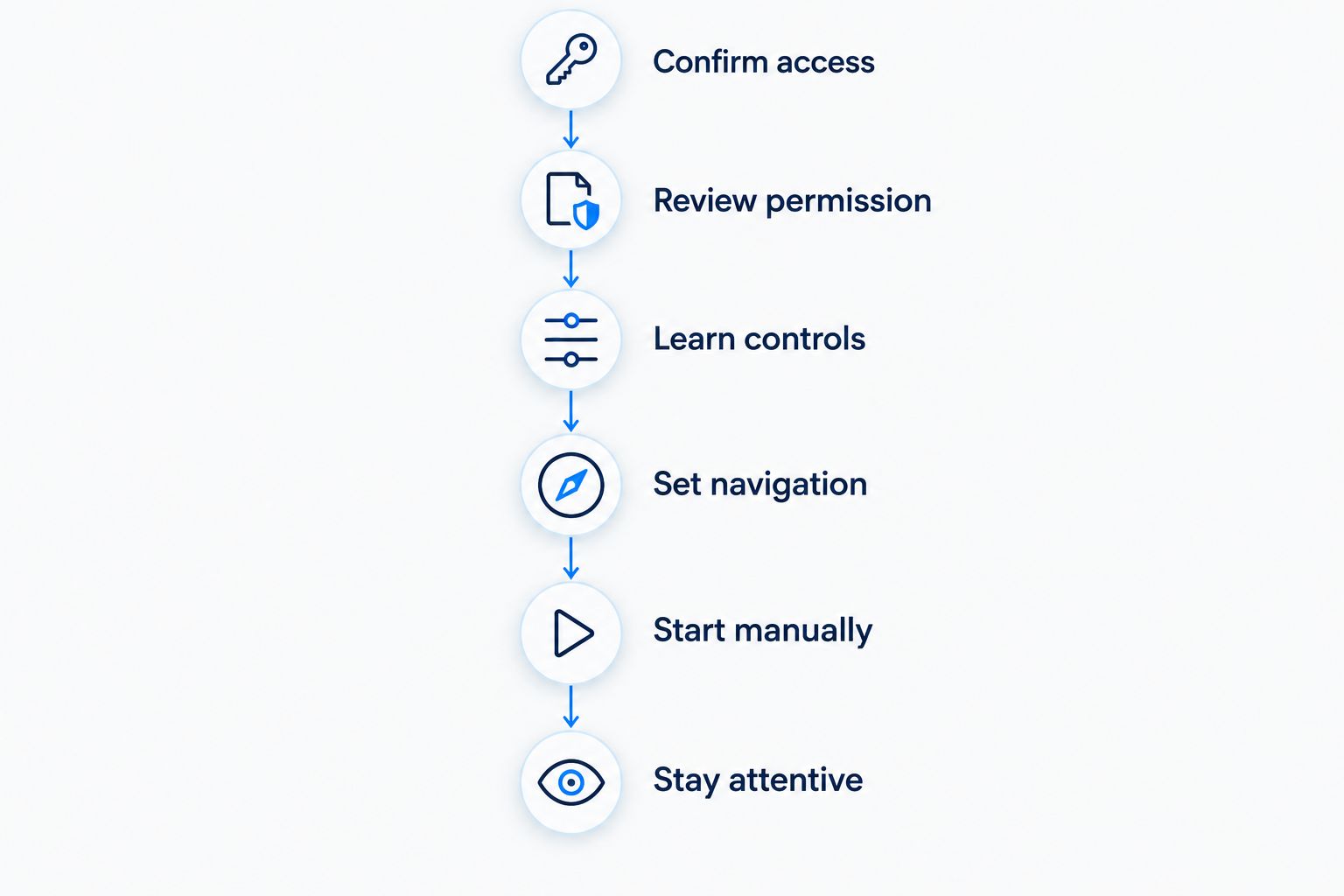
Confirm access
Ask whether FSD (Supervised) is included on the specific vehicle assigned to your reservation. A Model Y, Model 3, or Cybertruck name alone does not establish which features are active or what the rental company permits.
Get the answer tied to your booking. A general advertisement is less useful than a clear confirmation of the vehicle and its included features.
Review permission
Read the rental agreement and ask about any instructions governing driver-assistance use. Feature access and contractual permission are separate checks; complete both before driving.
Ask how to contact the rental provider if the expected feature is not accessible at handover. Resolve the issue while parked rather than searching through settings in traffic.
Learn controls
Have the handover cover how to engage FSD (Supervised), recognize its active status, and return to manual driving. Ask the person delivering the vehicle to explain the controls for that vehicle’s current configuration.
Do not assume that instructions from a previous Tesla rental apply unchanged. Familiarity helps, but the actual vehicle is the reference.
Set navigation
Enter your destination while parked and review the route before departure. Check that the destination is the intended entrance or address, especially when your hotel, meeting, or event has multiple access points.
Navigation gives you a route, not permission to ignore road conditions. You still need to watch signs, lane markings, pedestrians, and instructions from people directing traffic.
Start manually
Drive manually through the immediate pickup area if that gives you a clearer introduction to the vehicle. You do not need to activate FSD (Supervised) as soon as the rental begins.
Once you are comfortable and the vehicle permits activation, decide whether to use the feature. Keep the first drive focused on learning rather than testing every function.
Stay attentive
Watch the road continuously and follow the vehicle’s attention prompts. Keep yourself ready to steer, brake, or otherwise take control immediately.
If the vehicle’s behavior does not match the situation, take over. Your judgment remains the final decision, even while FSD (Supervised) is active.
How should you handle FSD (Supervised) after an LAX pickup?
Make the airport departure a driving task, not a feature demonstration. Confirm the delivery meeting point, load your luggage, and complete the parked walkthrough before leaving. Concierge delivery simplifies the handover; it does not mean you should rush it.
For your 2026 LAX arrival, separate the pickup plan from the driving plan. The first gets you into the vehicle. The second gets you comfortably onto the route to your destination.
Airport pickup areas demand attention to people, luggage, stopping vehicles, signs, and traffic directions. Drive manually whenever that gives you the clearest control of the situation. There is no requirement to use the feature for the entire journey.
Once you have left the immediate pickup area, review your comfort level without interacting with settings while moving. If you need to change navigation or investigate a control, find a permitted place to stop first.
The guide to FSD (Supervised) and your LAX pickup route provides a related planning topic. Keep the same priority throughout: understand the vehicle, understand the route, then decide whether driver assistance suits the moment.
Why FSD (Supervised) use varies between rentals
The relevant differences are practical, not promotional. Check these factors before choosing a 2026 rental:
- Vehicle access: Confirm that FSD (Supervised) is active on the assigned car, rather than assuming every Tesla reservation includes it.
- Rental permission: Check the agreement and the provider’s instructions before using the feature.
- Vehicle configuration: Learn the controls and prompts shown in the actual rental; do not rely only on an older tutorial.
- Road conditions: Read the situation yourself, including temporary lane changes, unclear markings, and people directing traffic.
- Driver familiarity: Use manual driving until you understand how to engage, supervise, and cancel the feature.
- Your condition: Begin the drive ready to concentrate. A driver-assistance feature does not replace rest after a flight.
These checks also give you a better way to compare rentals. Ask every provider the same questions about the assigned vehicle, permitted use, and handover instructions. Do not treat the presence of a Tesla in a fleet as an answer to those questions.
Is FSD (Supervised) better than manual driving in LA traffic?
FSD (Supervised) provides assistance; manual driving provides direct control. The right choice depends on whether you understand the feature and can supervise its behavior in the current situation. Neither choice removes your responsibility to drive attentively.
Use manual driving when you want direct control through an unfamiliar entrance, a pickup lane, or a situation that requires your judgment. Use FSD (Supervised) only when the vehicle permits it and you are comfortable monitoring it.
Do not judge the feature by whether it completes an entire trip without your input. The useful habit is to intervene whenever needed, without treating that intervention as a failed rental experience.
Can your passenger handle navigation while you supervise?
A passenger can help with trip planning, but you remain responsible for driving. Ask a passenger to review the destination or help identify the correct entrance so you can keep your attention on the road. Passenger assistance does not substitute for your own supervision of FSD (Supervised).
For families, settle luggage and passenger needs before departure. For business travel, enter the meeting address before leaving the pickup location. A prepared cabin lets you start the journey with fewer competing tasks.
Can you use FSD (Supervised) on a road trip from Los Angeles?
You can use FSD (Supervised) during a rental road trip when access, rental permission, and operating conditions allow it. Plan the journey around an attentive driver, charging stops, and the route—not around an expectation that the vehicle will drive independently.
Unlimited miles address mileage allowances, not charging or driver supervision. Keep those parts of the trip separate when reviewing your booking and planning your day.
For a 2026 getaway, enter the destination before departure and review charging needs using the vehicle’s navigation. Leave room in your itinerary to stop, rest, and make adjustments while parked. Driver assistance is a feature within the trip, not the trip’s organizing principle.
What should you ask before you book?
Send a short, specific request rather than asking only whether the rental is a Tesla. The answer should cover the feature, permission, and pickup instructions for your reservation.
- Is FSD (Supervised) included on the vehicle assigned to my booking?
- Does the rental agreement permit me to use it?
- Will the handover explain activation, cancellation, and attention prompts?
- Where will we complete the parked vehicle walkthrough?
- Who should I contact if the included feature is not accessible at pickup?
Keep the confirmation with your booking details. At handover, compare what you reserved with what the vehicle actually presents. That is the right time to ask questions and settle any mismatch.
Suiteescape is best for Los Angeles Tesla renters who want included FSD (Supervised), concierge delivery, and unlimited miles. Its Model Y, Model 3, and Cybertruck rentals serve travelers and locals, including LAX arrivals. The boundary remains clear: included assistance does not provide autonomous driving.
Book your Los Angeles Tesla rental
Explore Model Y, Model 3, and Cybertruck rentals with concierge delivery and included FSD (Supervised).
FAQ
Can I use FSD (Supervised) in a rented Tesla in Los Angeles?
Yes, when FSD (Supervised) is active on the rented vehicle and the rental agreement permits its use. You must remain attentive and ready to take over immediately.
Does every rented Tesla include FSD (Supervised)?
A Tesla reservation alone does not confirm FSD (Supervised) access. Ask the rental provider to confirm the feature on the specific vehicle assigned to your booking.
Can I stop watching the road while FSD (Supervised) is active?
No, you must continue watching the road and supervising the vehicle. Follow its attention prompts and take control whenever the situation requires it.
Should I activate FSD (Supervised) as soon as I leave LAX?
Complete the parked walkthrough first, and drive manually through the pickup area if that gives you clearer control. Use FSD (Supervised) only after you understand the controls and can supervise it comfortably.
Does Suiteescape include FSD (Supervised) in its Tesla rentals?
Suiteescape includes FSD (Supervised) with its Los Angeles Tesla rentals. Confirm the feature and learn the controls during your vehicle handover; the driver must remain attentive.
Does unlimited mileage mean I do not need to plan charging?
No, unlimited mileage and charging are separate parts of a rental trip. Plan charging around your route and review any charging terms with the rental provider.
Do I need the Tesla app to confirm FSD (Supervised) access?
App access is not a substitute for confirming FSD (Supervised) in the vehicle and reviewing rental permission. Ask the provider to explain app access separately from the driver-assistance walkthrough.
One last thing
The most useful pickup question is: how do I return to manual driving in this vehicle? Knowing the answer makes feature use a deliberate choice rather than a source of distraction. Ask for the explanation while parked and repeat it back if anything is unclear.
For your 2026 trip, choose a rental around the whole experience: delivery, the right vehicle, included features, and a clear handover. Suiteescape’s Los Angeles Tesla rentals combine concierge delivery with unlimited miles and included FSD (Supervised). Start the journey prepared, then use the assistance only when it fits the drive.
Related guides
- Connecting the Tesla app to your rental for keyless entry
- Connecting Tesla navigation to your Los Angeles itinerary
- Planning Tesla charging stops for a road trip