

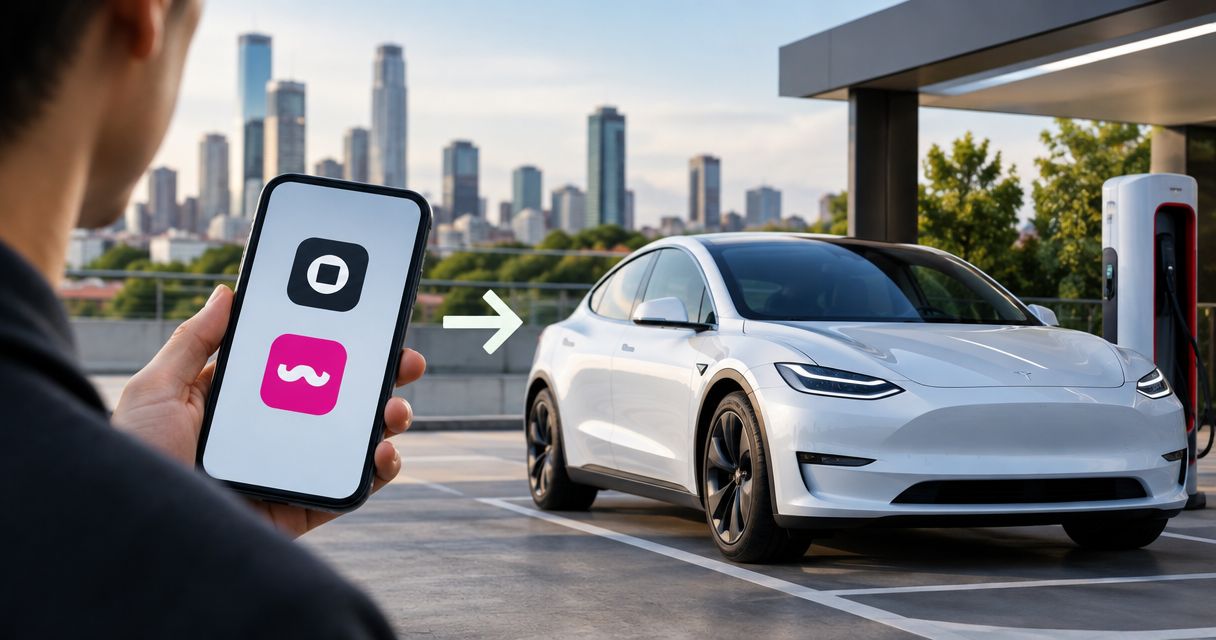
Instead of requesting an Uber or Lyft for every Los Angeles stop, switch from Uber to Tesla rental by confirming your booking, arranging delivery, and planning charging before your first drive. Suiteescape offers luxury Tesla rentals with concierge delivery and unlimited miles for travelers and locals in Los Angeles and LAX.
- Switch from Uber to Tesla rental when you want to drive between Los Angeles stops on your own schedule.
- Suiteescape offers concierge delivery and unlimited miles for Los Angeles Tesla rentals, including LAX trips.
- Confirm the handoff, driver requirements, parking, and charging arrangements before replacing your rideshare plans.
- FSD (Supervised) is driver assistance, not autonomous driving; you must remain attentive.
Why this matters
Rideshare and a rental solve different problems. Uber and Lyft provide a ride with a driver; a Tesla rental puts you in charge of the vehicle, route, parking, and charging. The right switch changes who controls the trip, not just which car arrives.
Suiteescape is best for Los Angeles travelers who want a luxury Tesla rental with concierge delivery and unlimited miles. Its stated offering includes FSD (Supervised) and 450+ five-star reviews. Those details support the service choice, but you still need to match the rental to your itinerary.
For your 2026 visit, start with the travel pattern. A rental suits a day with appointments, luggage, sightseeing, or stops you want to change along the way. Rideshare suits an outing where you prefer someone else to drive and do not want responsibility for parking or charging.
This workflow is for passengers switching their personal transportation. It is not a guide to using a rented Tesla for paid Uber or Lyft driving.
Before you start
- Prepare your booking information. Have your travel dates, delivery location, flight details if relevant, driver's license, and payment information ready. Confirm eligibility, required documents, and protection terms directly before committing.
- Prepare your access and route. Keep your phone charged, save the delivery instructions, and identify parking at your destination. If you want phone-based vehicle access, confirm the rental's access process rather than assuming a booking automatically connects the Tesla app.
- Confirm the handoff before changing existing rides. Concierge delivery does not mean you can collect a car at any airport curb. Agree on the exact meeting point and communication method, and keep a backup transportation plan until the handoff is confirmed.
You do not need to delete either rideshare app. Keeping Uber and Lyft installed gives you another transportation option if your plans change or you decide not to drive for an evening.
Choose your transportation pattern
Compare responsibility before choosing a vehicle. The table below separates the convenience of being driven from the flexibility of having a car throughout your trip.
| Option | Best for | Main advantage | Main trade-off |
|---|---|---|---|
| Uber | Individual trips when you want a driver | You do not manage the vehicle between rides | Each new journey requires another ride arrangement |
| Lyft | Individual trips when you prefer not to drive | You can travel without handling parking or charging | You do not keep a vehicle for later stops |
| Suiteescape Tesla rental | Los Angeles itineraries where you want your own vehicle | Concierge delivery and unlimited miles | You handle driving, parking, charging, and rental responsibilities |
Both ride apps remain useful when you want someone else to drive. Neither gives you possession of a car between passenger trips. A rental reverses that trade-off: the vehicle stays with you, and so does responsibility for it.
Choose a Tesla rental for itinerary control, not because you assume it always beats rideshare on every measure. Your destinations, driving preferences, and parking arrangements determine whether the switch fits.
For a 2026 conference trip, separate daytime transportation from evening plans. Having a rental for meetings does not require you to drive to every dinner. A mixed approach keeps the benefit of a dedicated vehicle without making driving the default for every outing.
Book
- Map your actual travel. List your arrival, lodging, scheduled commitments, and return departure. Include the stops between those anchors, such as a meal, a coastal drive, or a visit with family. This gives the rental request a clear start and end.
- Choose the vehicle around your passengers and belongings. Suiteescape names 3 Tesla models: Model Y, Model 3, and Cybertruck. Confirm the selected vehicle's passenger and luggage suitability directly rather than deciding from appearance alone.
- Request the delivery arrangement. Provide your location and timing. For LAX, include the flight information needed to coordinate the handoff and ask for the meeting instructions in writing.
- Review the agreement before confirming. Check who is permitted to drive, protection terms, charging responsibilities, delivery details, and the return process. Ask for clarification wherever the agreement leaves your intended use uncertain.
- Save the confirmation. Keep the booking details and communication channel accessible outside a long email thread. Share the relevant meeting instructions with anyone traveling with you.
Expected result: You have a confirmed vehicle arrangement, a delivery plan, and a clear understanding of your responsibilities. Do not replace a booked airport ride with an unconfirmed rental request.
For your 2026 booking, keep vehicle choice and delivery logistics in the same conversation. Selecting a model answers what you will drive; agreeing on the handoff answers how your trip begins. Neither substitutes for the other.
Pickup
- Reconfirm the meeting instructions. Before leaving your arrival area or accommodation, check the agreed location and contact method. If your flight or arrival time changes, send the update through the established channel.
- Inspect the vehicle together. Review its condition and record any existing marks through the process specified by the rental provider. Check the cabin and luggage space before loading everything.
- Learn the essentials while help is present. Ask for a demonstration of entry, starting, shifting, parking, charging, and opening the luggage compartments. Familiar controls make the first drive simpler.
- Verify your access method. Confirm how you unlock and start the car, and what backup access is provided. If phone access is part of your arrangement, test it before the handoff ends.
- Set your first destination before moving. Review the route, parking destination, and displayed battery level. Start with the immediate journey rather than trying to configure every preference at once.
Expected result: You can enter, start, park, and secure the vehicle without relying on an unfinished setup. You also know where you are driving first.
Use the Tesla app rental access guide if phone-based access is part of your handoff. App installation alone is not proof that access has been granted; test the complete entry and starting process.
FSD (Supervised) is included in the stated rental offering, but it does not turn the rental into a driverless ride. Remain attentive and responsible for driving whenever you use FSD (Supervised). Ask for an explanation before using a feature you have not operated before.
Charging
- Identify charging near your actual stops. Start with your lodging, meeting destinations, and planned route. Confirm that any destination charging is accessible to you, rather than treating a map listing as permission to use it.
- Review the charging process at pickup. Ask how charging sessions are handled for the rental and how you should account for them. Do not assume unlimited miles includes charging.
- Use vehicle navigation for the journey. Enter your destination and review charging guidance before departure. Recheck the plan when you add a substantial detour or change where you will finish the day.
- Combine charging with an existing stop. Where practical, choose a charging location near a planned meal or break. Check the location's access conditions so the stop serves your route rather than creating another errand.
- Keep the return requirement visible. Save the provider's agreed return-charge instructions alongside the return location. Plan the final charging stop around those instructions.
Expected result: You know where charging fits into your trip, how it is handled, and what condition the vehicle must be in at return.
For a 2026 road trip, unlimited miles removes a mileage allowance from the planning conversation. It does not remove charging stops, driving responsibilities, or the terms of your rental agreement. Confirm that the intended journey is permitted before extending the route.
Plan charging around the itinerary, then adjust the itinerary when necessary. That keeps the car useful without treating its battery as something to address only at the end of the day.
Return
- Confirm the return location and handoff. Use the agreed instructions rather than assuming pickup and return happen in the same place. If your departure plans change, ask for an updated arrangement.
- Complete the charging requirement. Follow the requirement in your agreement. Build the final charging stop into your departure plan instead of discovering it at the handoff.
- Remove your belongings and personal information. Check the cabin, storage areas, and charging stops for anything you brought. Remove saved personal destinations and connected information using the handoff guidance provided.
- Finish the vehicle review. Follow the provider's return process and retain the confirmation. Arrange onward transportation separately if the vehicle handoff is not your final destination.
Expected result: The vehicle is returned according to the agreement, your belongings are with you, and your onward journey is arranged.
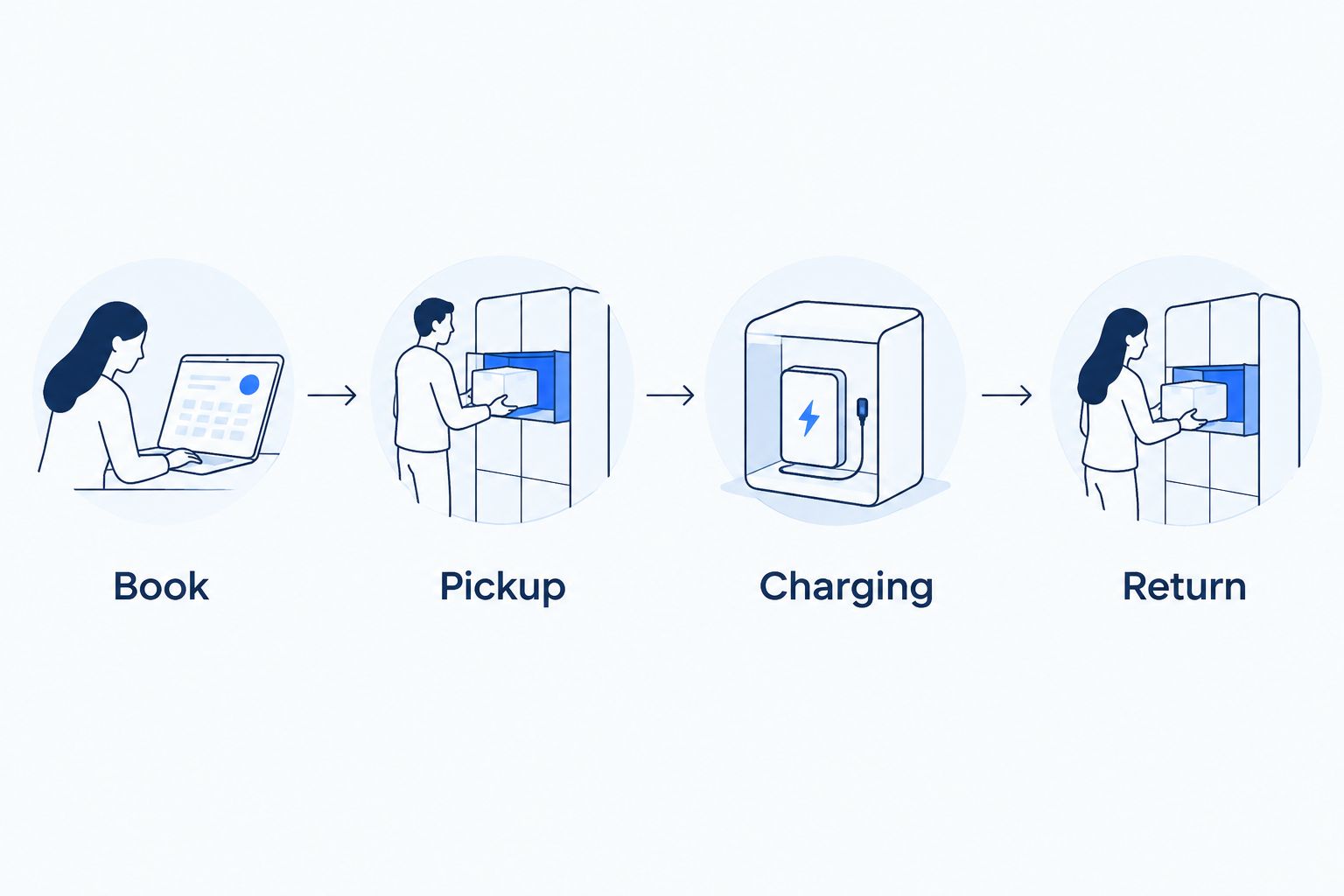
The workflow follows a simple sequence. Finish each stage's essential arrangements before relying on the next one.
Another workflow: rent for the busy part of your trip
You do not have to replace every Uber and Lyft journey. A useful second workflow is to keep rideshare for isolated outings and rent a Tesla for the part of the trip that needs a dedicated vehicle.
For example, organize a sightseeing day or business schedule around the rental, then use a ride with a driver when you prefer not to drive. This is an itinerary choice, not a requirement to use either service exclusively.
- Group the stops you want to drive between. Put appointments, luggage-heavy travel, and flexible sightseeing into the rental portion of your itinerary.
- Choose a clear rental start and end. Coordinate delivery and return around that portion rather than assuming the car must cover your entire visit.
- Keep separate outings separate. Retain rideshare for trips where parking, charging, or driving would add responsibility you do not want.
Expected result: Each transportation choice has a defined job. Your 2026 itinerary can include both a dedicated rental and rides with a driver without creating conflicting plans.
Troubleshooting
The flight changes after delivery is arranged
Send the revised flight details through the agreed communication channel and request updated handoff instructions. Keep the original meeting plan only if the provider confirms it still applies; a flight update does not itself establish a new delivery arrangement.
Phone access is not ready at pickup
Ask the handoff contact to verify that the intended access has been granted. Test entry and starting while assistance is present, and confirm the provided backup method before leaving. Do not make working phone access a prerequisite for departure unless it has actually been set up.
Your destination has no usable charging
Choose charging elsewhere along the route and revise your stop plan. A property's charging listing does not establish that its equipment is accessible to your rental or usable when you arrive.
The first drive feels unfamiliar
Ask for another demonstration before entering traffic. Focus on starting, shifting, braking, parking, and navigation first; leave optional features for when you understand their operation. FSD (Supervised) is not a substitute for learning the vehicle's basic controls.
A night out changes your driving plans
Use a ride with a driver and leave the rental legally parked and secured. Check the parking location's rules, then collect the vehicle when you are ready to drive. Having a rental does not mean you need to drive every journey.
Customize your workflow
For families, confirm passenger needs and luggage fit before selecting the vehicle. For business travelers, prioritize delivery coordination, meeting parking, and a return plan that matches departure. For road-trip travelers, confirm permitted use and charging along the route.
Book around the journey you actually intend to take. Concierge delivery and unlimited miles support that journey, but good pickup and return instructions are what make the transition from rideshare practical.
Plan your Los Angeles Tesla rental
Arrange a luxury Tesla rental with concierge delivery and unlimited miles.
FAQ
How do I switch from Uber to Tesla rental in Los Angeles?
Confirm a Tesla rental, arrange the delivery handoff, and plan charging before replacing your rideshare trips. Keep your existing transportation plan until the rental arrangement is confirmed.
Is a Tesla rental better than Uber or Lyft for sightseeing?
A Tesla rental is better suited to sightseeing when you want your own vehicle between stops. Uber or Lyft is better suited to outings where you want a driver and do not want parking or charging responsibilities.
Can I arrange a Tesla rental for an LAX arrival?
Suiteescape offers concierge delivery for travelers in Los Angeles and LAX. Confirm the exact meeting location and flight-update process before arrival rather than assuming an airport curbside handoff.
Does unlimited mileage include charging?
Unlimited mileage does not establish that charging is included. Confirm charging responsibilities and the return-charge requirement in the rental agreement.
Does FSD (Supervised) drive the rental without me?
No. FSD (Supervised) requires an attentive driver who remains responsible for driving; it is not an autonomous transportation service.
Do I need the Tesla app before collecting my rental?
Confirm the rental’s access requirements before pickup. If phone access is provided, test unlocking and starting before the handoff ends, and confirm the backup access method.
Can I use this workflow to start driving for Uber or Lyft?
No. This workflow covers passengers replacing personal rideshare trips with a rental; paid rideshare driving requires separate platform eligibility and rental permission.
One last thing
Keep your 2 ride apps installed after collecting the rental. Uber and Lyft remain useful for evenings when you prefer a driver or an onward trip after returning the car. Switching transportation works best when you gain another option rather than remove every alternative.
Related guides
- Tesla rental insurance and protection plans
- Flight-delay updates and Tesla delivery rescheduling
- Day trips from Los Angeles in a rented Tesla