
Tesla Rental Profile Sync for a Better Drive
Your rental car should not feel like a compromise between the airport and your hotel. Tesla rental profile sync helps turn a premium EV into a car that feels more like yours – with familiar preferences, connected navigation, and access to the Tesla experience you expect.
For a traveler landing at LAX with a full Los Angeles itinerary, that difference is practical. It means less time adjusting menus in a parking lot and more time heading toward Malibu, Beverly Hills, a business meeting downtown, or a weekend escape up the coast. For Tesla owners, it can also remove the small but noticeable friction of driving a vehicle that has not yet learned your preferences.
What Tesla Rental Profile Sync Actually Means
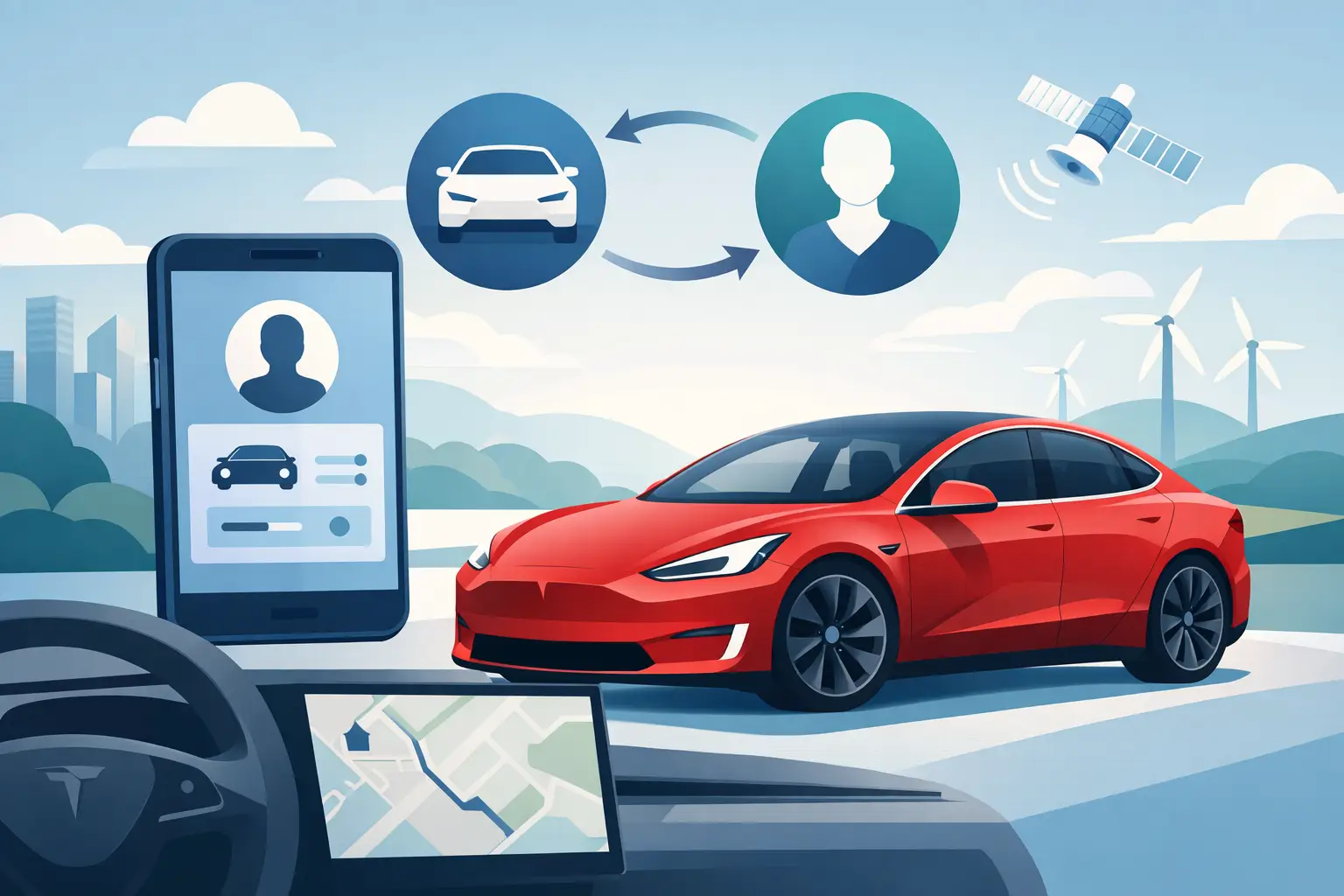
A Tesla is designed around the driver, not just the drive. Your profile can store key preferences within the vehicle, such as seat and mirror positions, steering wheel adjustments, display settings, climate choices, driving preferences, and navigation habits. When profile sync is available on a rental, those details can follow you into the car instead of being rebuilt from scratch.
The exact settings that transfer can depend on the Tesla model, software version, and how the account is connected. That is worth keeping in mind. Profile sync is meant to make the vehicle feel familiar, not to guarantee that every historical setting or saved item appears exactly as it does in your personal Tesla.
Still, the benefit is immediate: you arrive to a polished vehicle, connect your account during setup, and begin with a more personal cabin experience. For guests who use a Tesla every day, this is one of the clearest differences between a standard rental and a thoughtfully prepared Tesla rental.
Why Profile Sync Matters on a Tesla Rental
Traditional rentals begin with a few predictable compromises. You wait at a counter, accept whatever trim is available, adjust a seat that has been used by dozens of people, pair your phone, and figure out unfamiliar controls before merging into airport traffic.
A Tesla rental is built for a different kind of arrival. The vehicle centers its experience on a large touchscreen, intuitive route planning, driver-assistance technology, and a connected account. Profile sync helps bring those pieces together faster.
For existing Tesla drivers, the advantage is comfort. A properly positioned seat and mirrors matter more than they sound like they do, particularly after a flight or before a long drive. Familiar display and driving preferences can make the first few miles feel calmer and more natural.
For Tesla-curious guests, account setup offers another kind of value: a more complete introduction to the ecosystem. Rather than simply borrowing an electric car, you get to experience how Tesla ownership feels in real life – from navigation and charging planning to the connected app and cabin controls.
That said, it depends on your trip. If you are renting for a quick dinner reservation or a short local errand, you may not need to personalize much at all. On a multi-day Los Angeles visit, a coastal road trip, or a business week with multiple stops, the convenience becomes much more meaningful.
How to Set Up Tesla Rental Profile Sync
The best setup happens before you begin driving, when you have a few unrushed minutes to get comfortable. A concierge-style handoff should make this process feel straightforward, with support available if you need a hand.
Start With Your Tesla Account
Use the Tesla account associated with your personal vehicle, if you have one, or follow the rental instructions for connecting your account to the vehicle. This may involve an invitation, an in-app confirmation, or a quick verification step. Once access is active, confirm that you can see the rental in the Tesla app and that the vehicle information matches the car in front of you.
The app is especially useful during a trip because it gives you a convenient way to check the car, manage certain controls, and stay connected when you are away from the vehicle. It also makes the rental feel less like a one-time transaction and more like a fully supported driving experience.
Select or Create Your Driver Profile
Inside the Tesla, look for the driver profile controls on the touchscreen. If your profile is available, select it and give the system a moment to apply your preferences. If it is your first Tesla experience, create a profile and adjust the essentials: seat, mirrors, steering wheel, temperature, and display comfort.
Do this while parked. A good profile setup takes only a few moments, but it is far better to make changes before navigating LAX traffic or setting out for a long freeway drive.
Confirm Navigation and Charging Preferences
Tesla navigation is more than a map. It can help plan charging stops and route you through a trip with battery level in mind. Before leaving, enter your first destination and review the suggested route, estimated arrival battery, and any recommended Supercharger stops.
Los Angeles driving can change quickly with traffic, events, and long cross-city routes. Built-in navigation helps keep charging decisions tied to your actual route rather than asking you to guess where to stop. The Suite Escape also gives guests access to Tesla’s expansive Supercharger network, with more than 8,000 locations available across the U.S. for road trips beyond the city.
Take a Moment to Learn the Vehicle
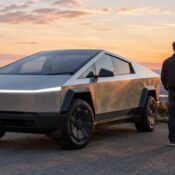
Even experienced drivers should spend a minute reviewing the basics of the specific Tesla they rented. A Model 3, Model Y, and Cybertruck each have their own character, dimensions, and practical strengths. Check how to adjust mirrors, open the charge port, use the wipers, set climate controls, and place the vehicle in Park.
If your rental includes Full Self-Driving capability, treat the first use as a learning moment, not a shortcut. Review the on-screen prompts and remain attentive, alert, and ready to take control at all times. The technology can make a long day of driving more enjoyable, but safe operation still requires an engaged driver.
The Preferences Worth Personalizing First
You do not need to configure every menu option to enjoy the benefit of profile sync. For most guests, a few details make the biggest difference. Set your driving position first, then make sure the mirrors provide a clear view for freeway lane changes and dense city parking.
Next, tailor climate and display settings. Southern California weather may be bright and warm outside while the cabin feels cool after sunset along the coast. A comfortable temperature and screen layout make the car feel settled from the beginning.
Finally, use navigation deliberately. Add your hotel, meeting venue, favorite dining reservation, or next destination before you pull away. Tesla route planning is most helpful when it has the full picture, especially if your day includes a mix of city traffic, scenic detours, and charging stops.
A Better Fit for Airport Travelers and Tesla Owners
Profile sync is particularly useful for guests arriving by air. After a flight, nobody wants a technology tutorial disguised as a rental pickup. Flexible delivery, a clean vehicle, complimentary water, and a car prepared for your arrival all set the tone. Personalized settings carry that same hospitality into the cabin.
It also matters to guests who already own a Tesla but need a vehicle while theirs is being serviced, when family is in town, or when a different model better fits the occasion. Renting a Model Y for extra cargo room or choosing a Cybertruck for a statement-making weekend should not mean giving up the account-based experience you enjoy at home.
There are limits, of course. Rental access is temporary, and the vehicle must be returned according to the agreed rental process. Before departure, take a quick look at the account connection instructions and ask support how profile access will be removed at the end of your trip. This protects your privacy and helps make the return just as smooth as pickup.
Make the Car Feel Like Part of the Trip
The best rental experiences disappear into the background. You remember the sunset drive, the dinner reservation you made on time, the easy charging stop, and the extra comfort of having the right vehicle for the moment. You do not remember waiting in a line or struggling to make an unfamiliar car work for you.
Tesla rental profile sync is a small feature with an outsized effect because it respects your time and your preferences. Set up the essentials, let the vehicle support the way you travel, and leave room for Los Angeles to be the part of the trip that surprises you.