

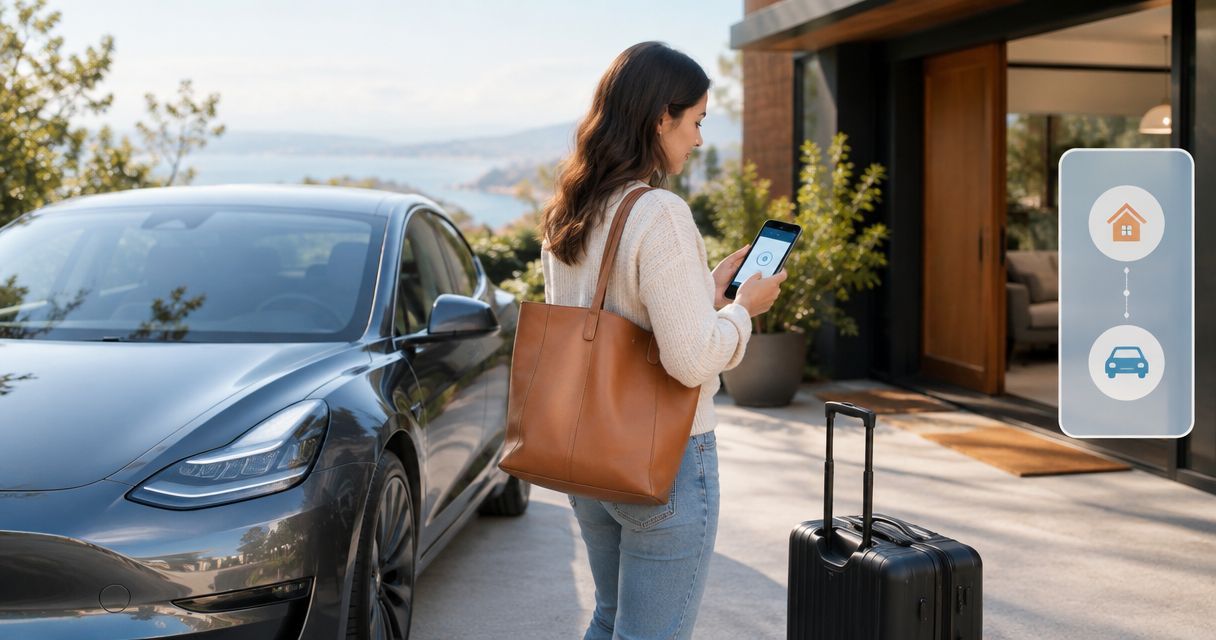
Instead of repeatedly checking your arrival messages, coordinate Tesla rental delivery and Airbnb check-in around one confirmed handoff location, a shared arrival plan, and a calendar reminder. Suiteescape offers Los Angeles Tesla rentals with concierge delivery and unlimited miles; agree on the delivery details separately from your Airbnb reservation.
- For tesla rental delivery airbnb check-in, confirm property access before agreeing on a handoff time.
- Suiteescape is best for Los Angeles travelers seeking Tesla rentals with concierge delivery and unlimited miles.
- Airbnb check-in and rental delivery need separate confirmations; a calendar reminder does not change either reservation.
- Choose property delivery or LAX delivery around your arrival sequence, then confirm the meeting location.
Why this matters
An Airbnb check-in time tells you when your stay begins. It does not establish where a rental vehicle can stop, whether you can enter the garage, or who will receive the vehicle. Those details decide whether your arrival feels coordinated or fragmented.
For your 2026 trip, plan around confirmed access rather than an estimated arrival alone. Ask your host about the property entrance and parking, then agree on the rental handoff with the delivery team. Keep the replies together so you can check the plan without searching through separate conversations.
Suiteescape Tesla rentals include FSD (Supervised), but the driver must remain attentive and responsible for driving. That feature does not replace a delivery recipient, solve property access, or move the vehicle into a restricted parking area without a driver.
Before you start
- Gather both reservations. Have access to your Airbnb reservation and host conversation, your rental confirmation, and a calendar you can edit. Keep the lead guest's and rental recipient's contact details accessible.
- Confirm the arrival sequence. Record your flight details if applicable, the property's check-in instructions, and the delivery arrangement you want to request. Distinguish your estimated arrival from a confirmed appointment.
- Resolve the access gotcha. A property address is not necessarily a usable handoff location. Ask whether the entrance, driveway, garage, or designated parking space is accessible before check-in, and confirm whether vehicle delivery there is permitted.
Use 2 written confirmations as your setup gate: the host's confirmation of access and the rental provider's confirmation of the handoff. Do not treat a sent request as an agreed arrangement.
Property access and handoff location
Confirm the property details
- Open your Airbnb reservation and review the host's check-in instructions. Identify the date, local check-in time, exact entrance, and any instructions for accessing parking.
- Message the host with a focused request: ask where you can receive a rental vehicle and whether that space is accessible when you expect to arrive. Explain that the car handoff is separate from entering the accommodation.
- Ask whether someone must open a gate or garage. If access depends on a person, confirm who that person is and how you should contact them upon arrival.
- Record the host's approved location in your arrival notes. Include a recognizable meeting detail, such as the designated driveway entrance, rather than relying on the street address alone.
Expected result: You know where you can meet the vehicle and what must happen before you can enter the property or parking area.
Avoid putting an entry code in a widely shared calendar description. Share access instructions only with the people who need them. A location note can identify the entrance without exposing the property's security information.
Choose the delivery sequence
Decide whether receiving the vehicle at the accommodation or arranging LAX delivery fits your trip. These are coordination options, not promises that every location or requested time will be accepted. Confirm the specific arrangement with Suiteescape before treating it as final.
| Delivery sequence | Best for | Advantage | Trade-off | Confirmation needed |
|---|---|---|---|---|
| Property delivery after access | Travelers settling into their accommodation first | Keeps the vehicle handoff near your stay | Depends on property access and an approved meeting space | Host-approved location and agreed delivery time |
| LAX delivery before check-in | Travelers who want the rental before reaching their accommodation | Separates the vehicle handoff from property access | Requires a plan for the period before check-in | Exact airport meeting instructions and agreed handoff details |
Choose property delivery when property access is confirmed; choose LAX delivery when your arrival plan calls for receiving the car first. Neither sequence removes the need to confirm parking at your accommodation.
For a 2026 arrival itinerary, write the sequence in plain language: land, receive the vehicle, travel to the property, enter the accommodation. If you choose property delivery, reverse the middle tasks as appropriate. This exposes scheduling conflicts before arrival day.
Delivery confirmation and arrival notes
Agree on the handoff
- Send the rental team your reservation reference, intended delivery location, arrival date, and requested handoff time. Include your flight details when they affect the arrangement.
- Explain any access dependency. State whether the property is accessible only after check-in or whether the host has approved a separate meeting area.
- Ask for written confirmation of the delivery location, agreed time or window, recipient, and arrival-day contact method. Use the provider's confirmed instructions as the final rental handoff plan.
- Save the reply alongside your host's access confirmation. Check that both refer to the same date and that the property access sequence supports the rental handoff.
Expected result: You have a confirmed rental arrangement that fits the host's access instructions, rather than two unrelated bookings.
Keep the message short. A useful delivery request contains the booking reference, date, location, requested timing, recipient, and access constraint. Leave sightseeing plans out unless they affect where you need to receive the vehicle.
Suiteescape's concierge delivery is useful for coordinating Los Angeles arrivals, but your requested address and timing still need agreement. Unlimited miles supports your driving itinerary; it does not define the handoff location or override the host's parking rules.
Build one arrival note
Keep 1 arrival note containing the information you will need while traveling:
- Property address and approved entrance.
- Confirmed check-in time and parking instructions.
- Agreed rental delivery location and timing.
- Named rental recipient and contact method.
- Host contact details and rental arrival instructions.
- Any agreed alternative meeting location.
Label the note 2026 arrival plan so it is easy to distinguish from an older itinerary. Keep sensitive entry instructions separate if you share the note with other travelers.
If your rental arrangement includes app access, review the Tesla app connection and keyless-entry guide before arrival. Confirm which access method applies to your reservation rather than assuming a calendar invitation grants access to the car.
Calendar event and arrival checkpoints
Create the reminder
A calendar helps you remember the agreed plan. It does not synchronize Airbnb reservations with a rental provider or authorize a schedule change.
- In Google Calendar on the web, select Create, then Event. Give the event a clear title, such as Tesla delivery and property access.
- Enter the agreed delivery date and time. Set the event's time zone to Los Angeles so the handoff remains tied to local time while you travel.
- Put the confirmed meeting location in Location. Use the approved entrance or meeting point, not an unconfirmed parking space.
- Add the non-sensitive arrival summary in Description. Include the recipient, access sequence, and where to find the separate confirmations.
- Add a notification that suits your travel schedule, then select Save. Invite a travel companion only if that person needs the reminder and is involved in the arrival plan.
Expected result: You have 1 calendar event that displays the agreed handoff in Los Angeles local time, with the information needed to follow it.
Do not invite the host or delivery team unless they have agreed to coordinate through that calendar. A calendar invitation is not a replacement for the booking conversation. Keep confirmation and reminders distinct.
Use three arrival checkpoints
Use 3 checkpoints to keep your 2026 arrival plan current:
- Before departure: Recheck the host's access instructions and the rental handoff confirmation. Resolve any mismatch while you still have time to communicate.
- After landing: Compare your actual progress with the agreed meeting plan. If the timing has changed, contact the rental team before assuming the appointment will move.
- At property access: Verify that the approved entrance or meeting area is usable. Follow the host's instructions and the rental team's handoff requirements.
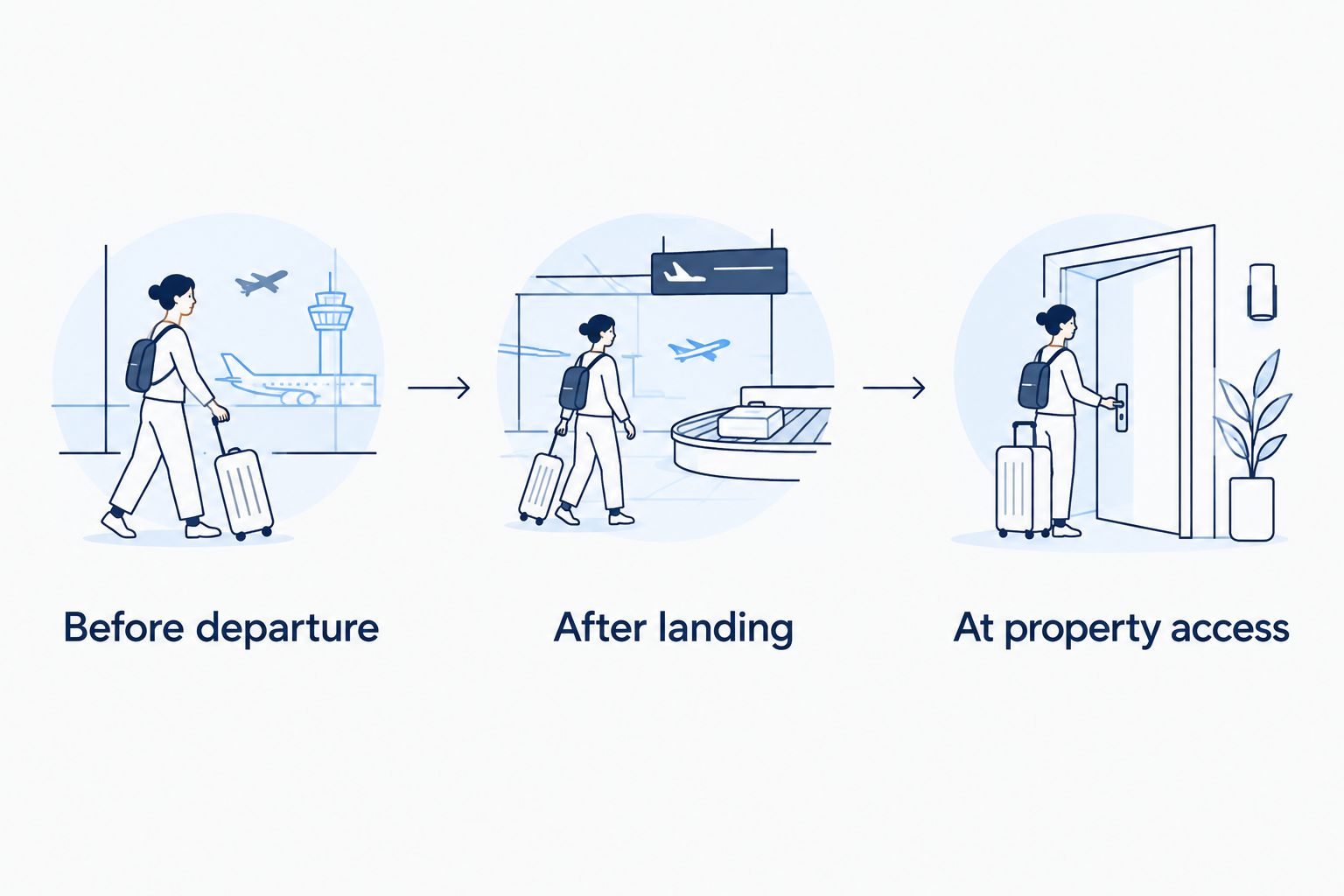
A reminder is most useful when it points to a decision. At each checkpoint, ask whether the confirmed location, timing, and recipient still match your actual arrival.
When your flight or check-in changes
The second workflow is an update loop: identify the changed detail, request a revised arrangement, receive confirmation, and update your reminder. Editing the calendar is the final step, not the first.
- Identify what changed. A delayed flight affects arrival timing; a changed entrance affects location; a revised check-in instruction affects access.
- Contact the relevant party through the established booking conversation. Notify the rental team when the change affects delivery, and notify the host when it affects property arrival or access.
- Request a specific revised plan. State the new estimated arrival and ask which handoff arrangement can be agreed.
- Wait for confirmation before replacing the original handoff details. Make clear which arrangement is now current.
- Update the calendar and arrival note. Tell any travel companion who is responsible for receiving the vehicle.
Expected result: Your reminder reflects an accepted change, not merely your preferred new time.
For a 2026 itinerary with several travelers, designate a single person to manage these updates. This avoids separate messages proposing different locations. The person coordinating delivery should know who is actually meeting the vehicle.
Troubleshooting your arrival plan
Check-in starts after the requested delivery
Ask the host whether an approved meeting area is accessible before accommodation entry. If not, request a different handoff sequence from the rental provider. Do not assume a driveway or garage is available before check-in.
The address leads to the wrong entrance
Ask the host to identify the correct access point and pass the confirmed detail to the rental team. Update the arrival note and calendar location together. A building address alone does not explain a separate parking entrance.
The flight arrives later than expected
Notify the rental team using the agreed contact method and request revised instructions. Keep the original appointment visible until the revised arrangement is confirmed. Moving a calendar event does not notify everyone involved in the booking.
A travel companion wants to receive the vehicle
Confirm the recipient with the rental provider before arrival. Do not assume that being included on the Airbnb reservation establishes permission to receive or drive the rental. Share the agreed plan only after the recipient is confirmed.
The calendar shows the wrong local time
Open the event and check its time zone against Los Angeles local time. Compare it with the written delivery confirmation, then correct the event. Use the confirmed local handoff time as your reference.
Customize your workflow
Once the handoff is settled, extend the arrival note to cover parking and charging. Ask the host whether charging is permitted at the property and what instructions apply. Do not infer charging access from the presence of a driveway, garage, or outlet.
For a family trip, assign luggage and property-entry tasks separately from receiving the car. For a business trip, keep the first appointment outside the handoff sequence until the delivery arrangement is confirmed. Both approaches keep one traveler from managing every arrival task simultaneously.
Book the vehicle around your confirmed arrival sequence, not the other way around. Suiteescape offers luxury Tesla rentals for travelers and locals in Los Angeles and LAX; use the agreed delivery details to build the rest of your arrival plan.
Plan your Los Angeles arrival
Coordinate your Tesla rental request with your flight, property access, and preferred handoff location.
FAQ
How do I coordinate Tesla rental delivery with Airbnb check-in?
Confirm property access with your Airbnb host, then agree on the rental delivery location and timing with the rental provider. Save both confirmations and create a calendar reminder using Los Angeles local time.
Can my Tesla rental arrive before Airbnb check-in?
Arrange an earlier handoff only after confirming an accessible meeting location with the host and agreeing on the delivery with the rental provider. Accommodation access and vehicle delivery are separate arrangements.
Does a calendar event automatically reschedule my rental delivery?
No, a calendar event only records your plan. Request schedule changes through the rental provider’s established contact method and update the event after receiving confirmation.
Is LAX delivery better than delivery to my Airbnb?
LAX delivery fits an itinerary where you want to receive the vehicle before reaching your accommodation. Property delivery fits an arrival where access and a suitable meeting location are already confirmed.
What should I do if my flight is delayed?
Contact the rental team and request a revised handoff arrangement. Notify your Airbnb host if the delay also affects property arrival, and update your calendar after the relevant changes are confirmed.
Can someone else receive my Tesla rental at the property?
Confirm the recipient with the rental provider before arranging the handoff. An Airbnb guest listing or shared calendar invitation does not establish permission to receive or drive the vehicle.
Does Suiteescape FSD drive the rental to my Airbnb by itself?
No, FSD (Supervised) requires an attentive driver who remains responsible for driving. Suiteescape delivery coordination still requires an agreed handoff location and recipient.
One last thing
The most useful arrival detail is often not the address. It is which entrance you can actually use when you arrive. Confirm that detail before your 2026 departure, and keep it beside the agreed delivery location so property access and the rental handoff tell the same story.
Related guides
- Flight-delay alerts and Tesla delivery rescheduling
- Places to charge a rental Tesla near LAX
- Day trips from Los Angeles in a rented Tesla