
No, you do not need a Tesla account simply to drive a rental Tesla when the rental provider supplies a working key card or another authorized key. You need a Tesla account if you want access through the Tesla app, and the vehicle owner must grant that access. For your 2026 booking, confirm the provider’s access requirements before pickup; a Tesla account does not replace rental approval or an authorized key.
- Do you need a Tesla account to rent a Tesla? Not for key-card driving; your provider sets booking requirements.
- Tesla app access requires a Tesla account and permission from the vehicle owner.
- Test the supplied key before departure, even when you plan to use your phone.
- Suiteescape suits Los Angeles Tesla rental travelers who prioritize concierge delivery and unlimited miles.
Do you need a Tesla account to drive a rental Tesla?
A Tesla account is not a universal requirement for driving a rental Tesla. A compatible, authorized key card lets you unlock and drive without signing into the Tesla app. The rental company decides whether its own pickup process also requires an account.
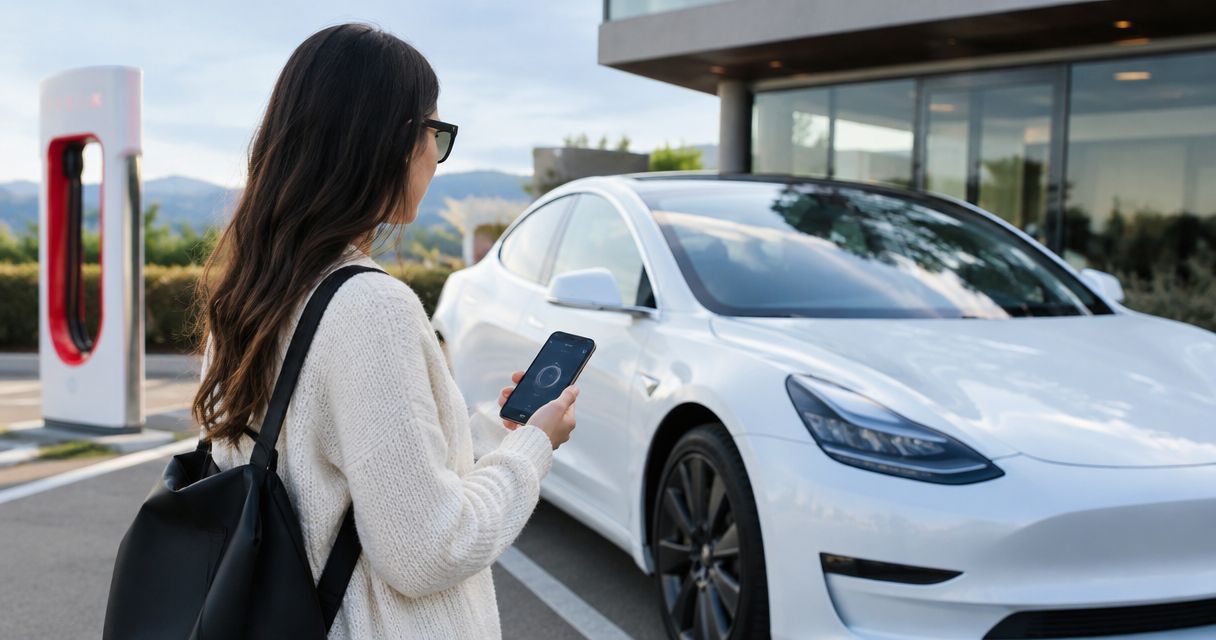
Tesla’s vehicle manuals distinguish between key-card access and phone-key access. Those are different ways to authorize entry and driving, not different rental agreements. If you want phone access, review how to connect the Tesla app to your rental for keyless entry before your handoff.
| Access method | Tesla account needed? | Best for | Benefit | Practical consideration |
|---|---|---|---|---|
| Authorized key card | No, for key-card driving | Renters who want a straightforward handoff | Entry and driving without app setup | Keep the card with you and learn its reader locations |
| Tesla app access | Yes | Renters who want supported remote controls | Access to functions the owner permits | Creating an account alone does not add the rental vehicle |
| Phone key | Yes, as part of app setup | Renters who prefer phone-based entry | Your configured phone serves as a vehicle key | Setup, permissions, and phone readiness matter |
The distinction is simple: an account identifies you; an authorized key gives you vehicle access. Downloading the app or signing in does not automatically let you drive a particular rental.
Why this matters
Your pickup should be about getting on the road, not sorting out account permissions beside your luggage. For a 2026 Los Angeles trip, deciding between key-card access and phone-key access before arrival keeps the handoff focused.
This matters most when your itinerary starts at LAX, includes multiple drivers, or takes you beyond the city. Each approved driver needs a clear way to access the vehicle. Your charging instructions and return arrangements also need to come from the rental provider, not assumptions about what appears in the app.
Choose the access method that fits your trip, then verify it works before departure. App convenience is useful, but a demonstrated key-card handoff is enough to answer the basic question of whether you can drive without a Tesla account.
Key-card access: best for keeping pickup simple
An authorized key card is the straightforward choice when you do not want to connect your personal Tesla account. You use the card at the vehicle’s designated reader to enter, then follow the vehicle’s instructions to authorize driving.
Reader locations and prompts depend on the model. Ask the person handing over the vehicle to demonstrate both entry and drive authorization rather than relying on instructions for a different Tesla.
The advantage is direct access without personal app setup. The trade-off is that the card does not give you the Tesla app’s remote controls. You also need to keep the card accessible instead of leaving it inside the vehicle.
Before leaving, demonstrate the process yourself:
- Lock the vehicle using the supplied key.
- Unlock it again from outside.
- Sit in the driver’s seat and authorize driving.
- Locate the card reader you will use if the vehicle requests another authentication.
Best for: travelers who want a simple, demonstrated access method. Choose key-card access when app features are not essential to your itinerary.
Tesla app access: best for supported remote controls
Tesla app access requires your own Tesla account and authorization for the rental vehicle. The owner or rental provider must use the applicable access process; you cannot add someone else’s vehicle merely by knowing its vehicle identification number.
Once access is granted, the app displays the controls available to your account for that vehicle. Check those controls instead of assuming you receive every function associated with owning a Tesla.
The benefit is convenience. Where supported and permitted, you can use remote functions such as checking charge status or adjusting cabin climate. The consideration is setup: account access, an accepted invitation, and the correct vehicle must all line up.
For a 2026 rental, ask these questions before relying on the app:
- Does this reservation include temporary Tesla app access?
- Which account email should receive the invitation?
- Which functions will be available during the rental?
- What should you use if app access is not ready at pickup?
Best for: renters who want supported remote controls during their trip. Use your own account rather than asking to sign into the owner’s account.
Phone-key access: best for everyday convenience
Phone-key access builds on Tesla app access. After the vehicle appears in your authorized account, you complete the phone-key setup for the compatible vehicle and device.
Bluetooth and the phone permissions requested during setup matter. Remote commands through the app and nearby phone-key operation are not the same function, so seeing the vehicle in the app does not prove phone-key setup is complete.
The benefit is convenient entry without reaching for a card during normal use. The consideration is dependence on a configured, working phone. Keep the supplied physical key available if your provider gives you one.
Test phone-key access with the key card out of detection range. Otherwise, a successful unlock does not necessarily show which key authorized it. Ask the provider to guide the test so you verify the phone rather than another key nearby.
Best for: renters who prefer phone-based entry and are comfortable completing setup. Choose it for convenience, not as a substitute for understanding the physical key.
Why rental Tesla account requirements vary
The hardware supports different access methods, but the handoff depends on the reservation and provider. Your 2026 booking confirmation should establish the process you will actually use.
- Provider procedure: The rental provider sets its booking and pickup requirements, including any required account setup.
- Access offered: A key-card handoff differs from a rental that also includes temporary app access.
- Vehicle and phone compatibility: Phone-key setup depends on the vehicle and the device you bring.
- Authorized drivers: Permission to use a vehicle key does not replace approval under the rental agreement.
- Remote features requested: App-based climate controls or charge-status checks require a different setup from card-based driving.
- Charging arrangements: The provider’s charging and reimbursement instructions remain separate from your login credentials.
These factors explain why advice from another renter does not establish your reservation’s requirements. Ask what your booking includes rather than whether all Tesla rentals work the same way.
How do you prepare for pickup without account confusion?
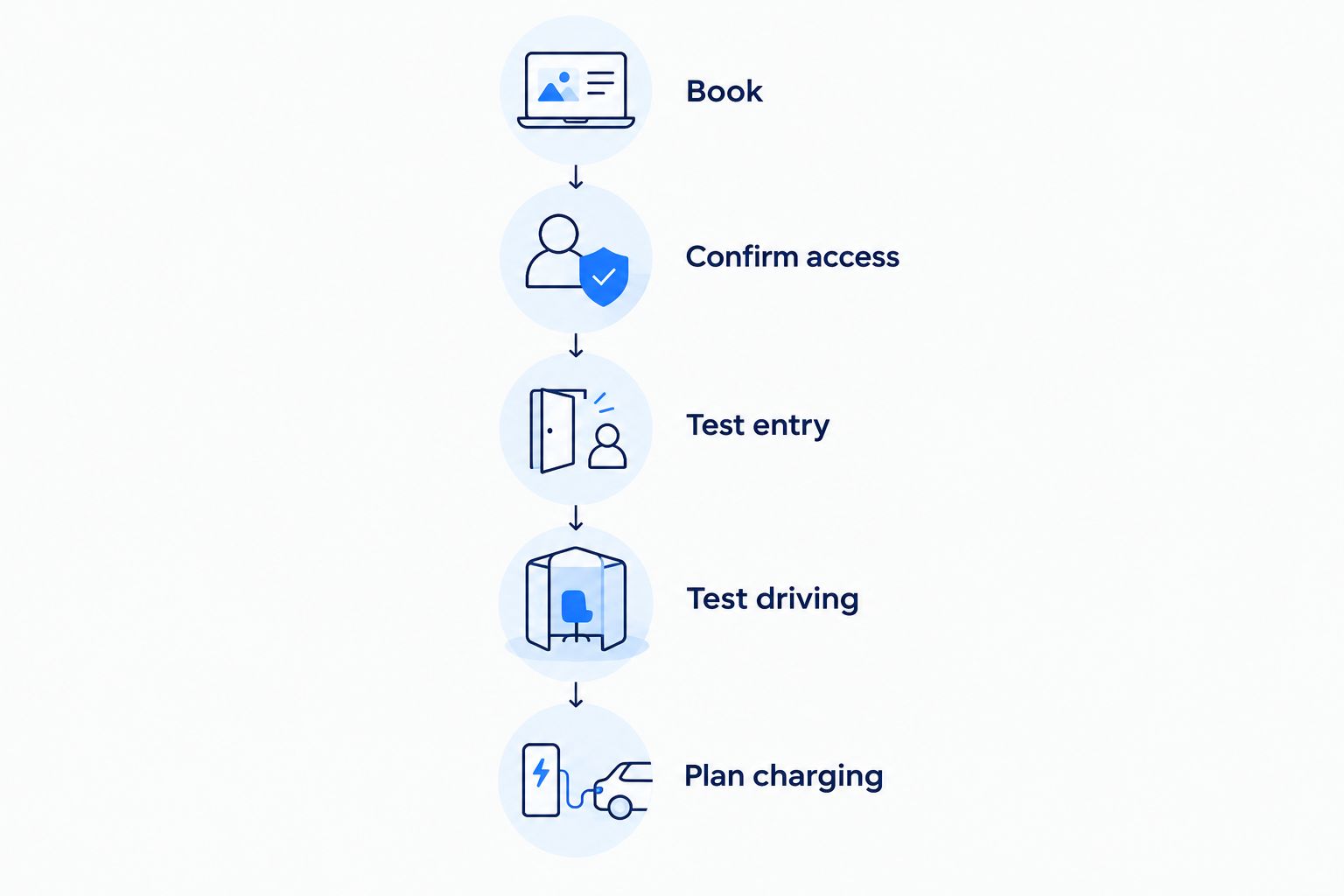
Use this sequence before your first drive. It works whether you prefer a card-only handoff or want to connect your phone.
- Book. Confirm the rental agreement’s driver requirements and the access method supplied. A Tesla account is not proof that you qualify to rent.
- Confirm access. Ask whether you will receive a key card, temporary app access, or both. If app access is offered, confirm the account email to use.
- Test entry. Lock and unlock the vehicle with the method you plan to use. Complete phone-key setup before treating the phone as your primary key.
- Test driving. With the vehicle safely parked, follow the handoff instructions to confirm it recognizes your authorized key. Ask where to present the card if prompted.
- Plan charging. Confirm how to find charging stops, how charging is billed, and what charge level the rental agreement requires at return.
You do not need to master every screen before leaving. You do need to understand entry, drive authorization, charging, and the return process. Those are the practical foundations of an easy handoff.
What should you confirm for a Los Angeles or LAX rental?
For a 2026 LAX arrival, settle the handoff details before your flight: the agreed delivery location, how you will communicate on arrival, and which key you will receive. Ask where you can complete an access demonstration before joining airport traffic.
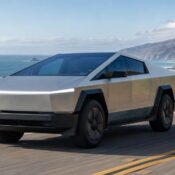
Suiteescape offers Los Angeles Tesla rentals with concierge delivery, unlimited miles, and FSD (Supervised) included. Its stated fleet includes Model Y, Model 3, and Cybertruck, and its brand information cites 450+ five-star reviews. Suiteescape is best for Los Angeles Tesla rental travelers who want concierge delivery and unlimited miles.
Those benefits address the trip experience; they do not establish a specific app-access policy. Confirm the key and app arrangements for your reservation. For FSD (Supervised), the driver must remain attentive and responsible for driving; the feature does not make the vehicle autonomous.
Concierge delivery suits travelers who want the vehicle brought to an agreed location. A conventional rental-counter handoff suits travelers who prefer collecting in person. In either case, prioritize a demonstrated access method and clear charging instructions over assumptions about the Tesla app.
Plan your Los Angeles Tesla rental
Explore concierge delivery, unlimited miles, and FSD (Supervised)-equipped rentals.
Can you charge a rental Tesla without your own Tesla account?
Your own Tesla account is not a universal requirement for charging a rental Tesla. At compatible Superchargers, the vehicle can authenticate the charging session through its existing setup. Ask the rental provider how those sessions are enabled and billed for your booking.
Other charging networks have their own payment and access methods. A Tesla login does not automatically create an account with a separate charging operator, and a phone key does not decide who pays for charging.
Before a road trip, separate these questions: where you can charge, how you start a session, and how the rental provider handles the resulting charge. Then confirm the return charge requirement in your agreement. Unlimited miles describes driving distance, not an included charging policy.
Does a Tesla account let another person drive your rental?
A Tesla account does not make someone an approved rental driver. The rental agreement determines who is allowed to drive, while vehicle access determines who can unlock or operate the car.
For a family trip or business visit, arrange additional-driver approval through the provider before sharing access. Then ask how each approved driver should use the supplied keys. Do not treat a working phone key as confirmation that the rental agreement permits that person to drive.
What happens to Tesla app access when you return the rental?
Temporary app access should end with the rental arrangement. Confirm the provider’s removal process and follow its return instructions rather than assuming that deleting the app ends vehicle access.
Before handback, remove your paired phone and personal information using the vehicle’s supported settings. Check saved destinations and any accounts you signed into. Avoid deleting vehicle profiles or changing owner settings without the provider’s direction.
For your 2026 return, make the handback as deliberate as pickup: return every supplied key, confirm charging requirements, and establish when temporary access ends.
FAQ
Do you need a Tesla account to rent a Tesla?
No, a Tesla account is not universally required to rent or drive a Tesla with an authorized key card. The rental provider sets its own booking and pickup requirements, so confirm those before arrival.
Can I drive a rental Tesla using only a key card?
Yes, an authorized, compatible key card can provide entry and drive authorization without Tesla app access. Ask the provider to demonstrate the reader locations on your rental vehicle.
Do I need the Tesla app for a rental Tesla?
No, you do not need the Tesla app for key-card driving. You need the app and a Tesla account if you want supported app controls or phone-key access, and the owner must authorize the vehicle.
Does downloading the Tesla app automatically connect my rental?
No, downloading the Tesla app does not grant access to a rental vehicle. The owner or provider must authorize your account, and phone-key setup is a separate step.
Can my partner drive if I share the Tesla key?
Your partner must be an approved driver under the rental agreement before driving. Possessing a key or having Tesla app access does not replace that approval.
Do I pay for Supercharging through my own Tesla account?
Follow your rental provider’s charging instructions rather than assuming payment goes through your personal Tesla account. Vehicle access, charging authorization, and reimbursement are separate arrangements.
Does Suiteescape offer FSD-equipped Tesla rentals in Los Angeles?
Suiteescape offers Los Angeles Tesla rentals with FSD (Supervised) included, concierge delivery, and unlimited miles. The driver must remain attentive and responsible for driving; FSD (Supervised) does not make the vehicle autonomous.
One last thing
A successful unlock is not the same as a complete handoff. Demonstrate entry and drive authorization separately, then confirm how you will charge and return the vehicle. That small distinction is more useful than downloading an app you never need.
For your 2026 trip, send this question before arrival: Will I receive a working key card, and is temporary Tesla app access included? The answer tells you what to prepare without making account setup the center of your travel day.
Related guides
- Tesla rental services near LAX Airport
- Connect Tesla Superchargers to your road-trip route planner
- Can you rent a Tesla with FSD in Los Angeles?