

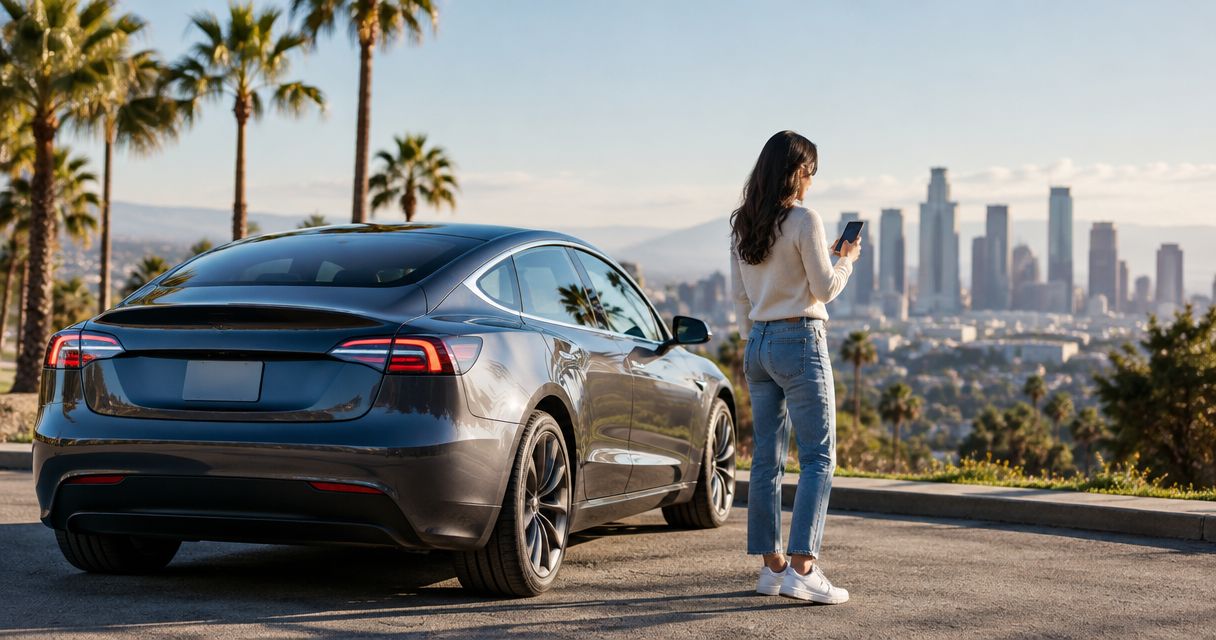
Sentry Mode monitors activity around a parked, locked Tesla and can save camera footage when it detects a qualifying event, provided the required recording storage is connected and working. On a rental in Los Angeles, confirm that the owner permits its use, recording is ready, and you have a way to retrieve footage before returning the car. Sentry Mode supports parking security; it does not guarantee that every incident will be recorded or prevent damage.
- Tesla Sentry Mode rental Los Angeles: confirm recording storage, battery level, and footage access before parking.
- Sentry Mode uses energy while parked and normally turns off when the battery reaches 20%.
- A detected event does not guarantee a useful recording; camera views and storage readiness matter.
- The Suite Escape suits Los Angeles Tesla rental travelers who want concierge delivery and unlimited miles.
How does Sentry Mode work on a rented Tesla in LA?
Sentry Mode uses the Tesla's cameras and sensors to monitor its surroundings while the vehicle is parked and locked. Depending on the event and vehicle settings, it can display a warning, activate an alarm, and save camera footage to compatible USB storage.
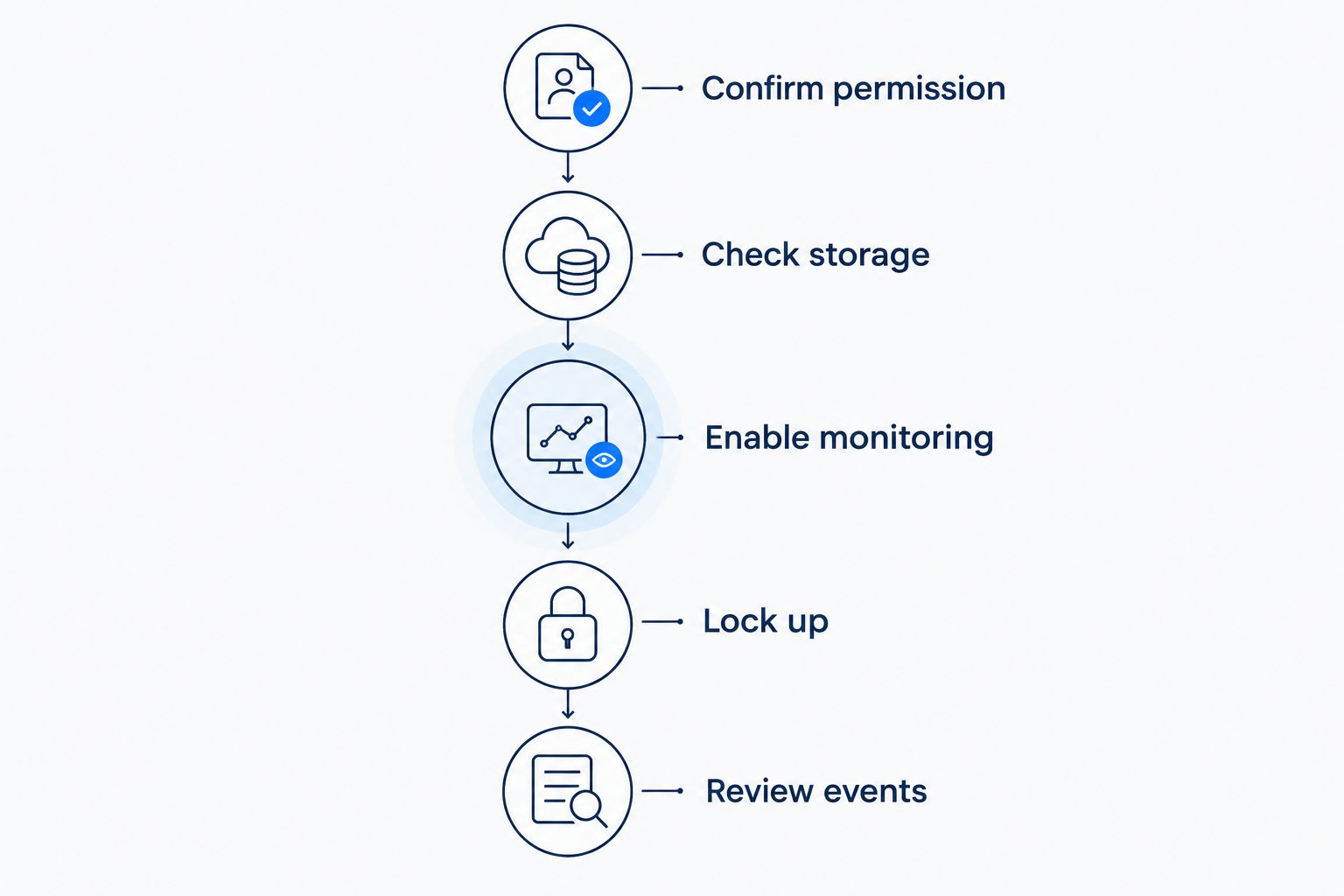
For a 2026 rental, the practical sequence is simple: confirm permission, check recording, enable Sentry Mode, and lock the vehicle. Then verify the setting before leaving rather than assuming it carried over from the previous renter.
- Confirm permission. Ask the rental provider whether you can enable Sentry Mode and access saved clips.
- Check storage. Confirm that the vehicle recognizes its recording drive and that recording is working.
- Enable monitoring. Open the vehicle's safety controls and review the Sentry Mode setting.
- Lock up. Take your key with you, lock the Tesla, and confirm that Sentry Mode is enabled.
- Review events. If something happens, arrange to review and preserve the relevant footage before returning the vehicle.
The touchscreen wording and available controls depend on the vehicle's software. Use the instructions for the actual rental rather than a walkthrough for a different Tesla.
Why this matters when you rent in Los Angeles
A rental adds an ownership boundary to a familiar feature. You can have permission to drive the car without having the owner's Tesla account access, recording access, or authority to change storage settings.
With The Suite Escape, concierge delivery gives you a natural moment to ask these questions before starting your trip. Make the parking-security walkthrough part of the handoff, alongside keys, charging, and return instructions.
The useful question is not just whether Sentry Mode exists. It is whether this rental can record an event and let you preserve it. Answer that before leaving the car at a hotel, restaurant, or parking garage.
Sentry Mode versus Dashcam: which one do you need?
Sentry Mode and Dashcam serve different situations. Sentry Mode concerns the parked vehicle; Dashcam records driving footage when properly configured. Neither feature automatically gives a renter access to the owner's account or recordings.
| Feature | Best for | Main benefit | Limitation to confirm |
|---|---|---|---|
| Sentry Mode | Monitoring a parked, locked Tesla | Can save footage associated with detected events | Uses parked energy and needs working storage to save clips |
| Dashcam | Recording while driving | Can preserve footage from the road | Recording and saving depend on configuration and storage |
| Live Camera | Checking surroundings remotely | Lets an authorized user view supported camera feeds | Requires supported equipment, connectivity, and appropriate app access |
Use Sentry Mode for parking, not as a substitute for driving footage. If both functions matter to your trip, ask the provider to show you each one separately.
Remote viewing is also separate from local recording. A working Sentry Mode setup does not establish that your rental includes Live Camera access on your phone.
How do you check Sentry Mode at pickup?
Ask the provider to demonstrate the feature on the actual vehicle. For a 2026 pickup, a brief demonstration is more useful than a general promise that the Tesla has cameras.
Confirm the recording drive
Ask whether compatible USB storage is installed and recognized. Some Tesla configurations include a drive, but do not assume a rental has the original drive or that it is ready to record.
Do not format, replace, or remove the owner's storage without permission. Formatting deletes recordings, and removing a drive without following the correct process can interrupt recording.
Check the vehicle's settings
Review whether Sentry Mode is enabled and whether location exclusions apply. Tesla allows exclusions for saved locations, so a setting that appears enabled does not necessarily mean monitoring will activate everywhere.
Ask the provider to explain any settings you should leave unchanged. Rental permission and the vehicle's technical capabilities are separate matters.
Agree on footage access
Establish who retrieves a clip if an event occurs. Ask whether you can use the vehicle's viewer, whether the provider handles exports, and how to request preservation after returning the car.
Do not assume that a notification automatically sends a video to your phone. A recording is useful only if you can locate and preserve it.
Why Sentry Mode performance varies
Sentry Mode does not produce the same result in every parking situation. Tesla's owner documentation describes operating conditions and limitations; the rental provider determines which controls and access you receive.
- Battery level. Sentry Mode uses energy while parked and normally disables when the battery reaches 20%.
- Recording storage. A missing, unrecognized, full, or malfunctioning drive can affect whether usable clips are saved.
- Camera visibility. Obstructions, dirt, lighting, and the position of another vehicle affect what a camera can see.
- Vehicle settings. Disabled monitoring or location exclusions can change whether Sentry Mode operates at a particular stop.
- Event detection. Sentry Mode responds to detected activity; it does not promise to capture every parking incident.
- Access permissions. App access and the ability to review or export recordings depend on the rental arrangement.
For your 2026 trip, check these conditions on the vehicle itself. A feature description cannot confirm the condition of a particular recording drive or the permissions attached to your booking.
How much battery does Sentry Mode use while parked?
20% is the usual battery threshold at which Tesla disables Sentry Mode, not a recommended parking target. The feature consumes energy while operating, but there is no single consumption figure that applies to every vehicle, software version, and parking situation.
Start with enough charge for your next drive and the provider's return requirements. For an overnight hotel stay, ask about charging before deciding how to use parked monitoring.
Avoid planning your next journey around a precise overnight battery-loss estimate. Check the displayed charge before leaving the car and again before departure, then use the vehicle's route planning for your next destination.
Unlimited miles and battery energy are different things. An unlimited-mile rental still needs charging, including energy used while parked.
Can you use Sentry Mode when a valet parks the Tesla?
Sentry Mode is designed for a parked, locked vehicle, so a valet handoff requires a separate conversation about keys and parking. Do not assume that enabling a parking feature before handing over the car guarantees its status after the valet moves it.
Confirm the rental provider's valet instructions, then ask the valet how the vehicle will be secured. Valet Mode and Sentry Mode are different settings; one does not stand in for the other.
The guide to valet parking a rented Tesla in Los Angeles covers the handoff question separately. For parking security, check Sentry Mode again when you regain control of the car.
Best for valet stops: a clear handoff and a fresh settings check afterward. Camera monitoring adds context, but it does not replace documenting the vehicle's condition.
What should you do if Sentry Mode records an incident?
First, make sure the location is safe and inspect the vehicle. Photograph the condition, note the parking location and approximate time, and contact the rental provider promptly through the agreed channel.
Next, ask to preserve the relevant recording before continuing with routine use or returning the vehicle. Tesla's owner documentation describes Sentry recordings that can include up to 10 minutes before a detected event; the footage available on your rental depends on its configuration and successful recording.
The distinction between continuous parking surveillance and event-triggered recording also shapes how you assess dash cams with parking mode: the important questions are what triggers a clip, how it is powered, and how footage is preserved. Apply those same questions to the Tesla's built-in system rather than assuming every camera setup records the same way.
Do not delete unrelated recordings, reset the drive, or post identifiable footage publicly as your first response. Follow the provider's instructions for sharing the relevant material and reporting any damage.
A camera angle can clarify an event without showing the entire sequence. Treat footage as supporting evidence, not an automatic decision about responsibility or insurance coverage.
How do you keep footage private on a rental?
Treat recordings as shared-vehicle data. A rental's storage can contain material unrelated to your trip, and permission to drive does not mean permission to browse or distribute someone else's footage.
Ask to review only the relevant event and agree on how your copy will be transferred. Keep the original file when possible rather than relying solely on a phone recording of the touchscreen.
Before returning a 2026 rental, confirm how the provider handles recordings associated with your trip. Ask about retention and deletion rather than assuming a universal policy applies to every Tesla rental business.
The same principle applies to app access. Follow the provider's return instructions and distinguish ending your access from deleting the owner's vehicle data.
What should you ask before booking a Tesla in LA?
The Suite Escape is best for Los Angeles Tesla rental travelers who want concierge delivery and unlimited miles. The service offers Model Y, Model 3, and Cybertruck rentals for travelers and locals, with Los Angeles and LAX delivery as part of its concierge positioning.
The Suite Escape also highlights FSD (Supervised) included and 450+ five-star reviews. FSD (Supervised) is a driving-assistance feature, not parked security or autonomous driving; the driver must remain attentive.
For Sentry Mode, confirm the details of your specific booking:
- Can you enable the feature during the rental?
- Is working recording storage installed?
- Can you review and preserve relevant clips?
- Does your booking include appropriate app access?
- What should you do after a parking incident?
The benefit is a rental built around delivery and travel convenience. The boundary is that those benefits do not establish Sentry recording permissions, remote viewing access, or a footage-retention policy. Settle those details before pickup.
Plan your Los Angeles Tesla rental
Check your travel dates and confirm Sentry Mode access before pickup.
FAQ
Does Sentry Mode automatically record everything around a rental Tesla?
No. Sentry Mode responds to detected events and does not guarantee a complete recording of everything around the vehicle. Saving footage requires working compatible storage and the correct settings.
Can I watch my rented Tesla’s cameras from my phone?
Only if the vehicle supports Live Camera and your rental includes the required app access and connectivity. Local Sentry recording does not automatically give you remote viewing.
Does Sentry Mode stop working when the battery gets low?
Sentry Mode normally disables when the battery reaches 20%. Plan charging around your next drive rather than treating that threshold as a parking target.
Can I turn on Sentry Mode without a Tesla account?
Sentry Mode can be controlled through the vehicle’s touchscreen when permitted by the rental provider. Remote camera viewing is a separate capability with additional access requirements.
Does Sentry Mode prove who damaged a rental car?
Sentry footage can support an incident report, but it does not automatically establish responsibility. Preserve relevant recordings, document the vehicle’s condition, and contact the provider.
Should I remove the USB drive before returning my Tesla rental?
Do not remove the provider’s recording drive without permission. Agree on how to copy or preserve a relevant clip before returning the vehicle.
Is Sentry Mode the same as FSD (Supervised)?
No. Sentry Mode monitors the parked vehicle, while FSD (Supervised) assists with driving. FSD (Supervised) requires an attentive driver and does not make the vehicle autonomous.
One last thing
Ask for a recording demonstration, not just a camera demonstration. Seeing a live camera view confirms that a camera displays an image; it does not confirm that the rental can save and retrieve an event. Make that distinction part of your 2026 pickup checklist.



[…] How Sentry Mode works on a rented Tesla in LA […]