

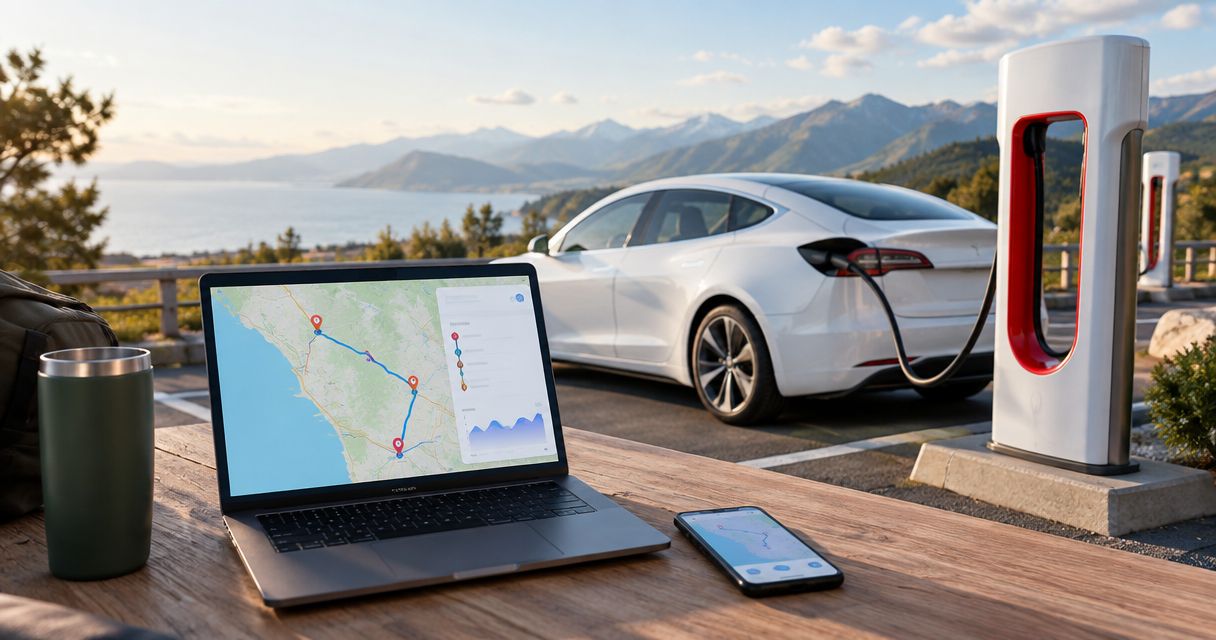
Instead of manually matching charging stations to every road-trip stop, use Tesla’s in-car Trip Planner to build a route with Supercharger stops. For a Suiteescape rental, plan your destinations before pickup, then confirm the charging route in the vehicle using its current battery level.
- Tesla’s in-car Trip Planner is the best tesla supercharger route planner for a journey based on the vehicle’s current charge.
- Suiteescape suits Los Angeles road-trip travelers who want luxury Tesla rentals, concierge delivery, and unlimited miles.
- Phone-based planning helps organize destinations; confirm charging stops and arrival estimates in the rental before departure.
- Navigate to the Supercharger itself so the vehicle can prepare the battery for charging when needed.
Why this matters
A list of chargers is not a charging route. Tesla’s Trip Planner uses the vehicle’s battery state and projected energy use to add Supercharger stops when charging is needed. Your hotel, lunch stop, and sightseeing plans still belong in the itinerary.
Use the phone to organize the trip; use the Tesla to confirm the charging plan. That division keeps your itinerary practical without treating a saved map as a live battery forecast.
Suiteescape offers Los Angeles Tesla rentals with concierge delivery, unlimited miles, and FSD (Supervised) included. The brand also cites 450+ five-star reviews. For a 2026 road trip, confirm your delivery details and rental access before building the final route; FSD (Supervised) requires an attentive driver and does not make the car autonomous.
Before you start
- Have the destinations ready. Save the exact address for each overnight stay and essential stop. Start with 1 final destination, then add intermediate stops in their intended order.
- Confirm vehicle access. In-car planning requires access to the Tesla touchscreen. Phone-to-car sharing also requires the appropriate Tesla app access to the rental; a personal Tesla account alone does not establish access.
- Keep the rental handoff separate from route planning. A route drafted before pickup does not reflect the rental’s actual starting charge. Confirm the charging itinerary after you receive the vehicle, and confirm how charging charges are handled with the rental provider.
You do not need a separate charger-directory connection to use Tesla’s built-in Supercharger routing. The useful setup is entering the trip correctly and letting the vehicle calculate the charging stops.
For a 2026 LAX arrival, make the delivery meeting point your starting logistics task. Enter the road-trip destination after the handoff, not while you are still resolving where to meet the vehicle.
Route-planning method
Choose the method according to what you need to accomplish. These are adjacent workflows, not competing subscriptions or separate rental products.
| Method | Best for | Main benefit | Limitation |
|---|---|---|---|
| In-car Trip Planner | Driving the rental on a charging-aware route | Uses the vehicle’s current charge to calculate the journey | Requires access to the vehicle to verify the actual departure plan |
| Phone itinerary followed by in-car planning | Organizing hotels and sightseeing before pickup | Keeps destination addresses ready for the handoff | A saved itinerary does not replace the vehicle’s charging calculation |
In-car Trip Planner wins for the drive itself. Phone planning wins for preparation, especially when you are coordinating flights, hotel check-in, and several travelers.
Neither method removes the need to review the route. A charging stop that works for the car still needs to fit your meal plans, meeting time, and destination access.
Destination setup
Enter the journey in the vehicle
- Park safely before configuring the trip. Check the displayed battery level so you know the starting point for the route calculation.
- Tap Navigate on the touchscreen. Enter the full destination address and select the matching location.
- Review the destination pin. Confirm that it points to the correct property or entrance rather than another location with a similar name.
- Open Controls, then Navigation, and check Trip Planner where that setting is available. Keep Trip Planner enabled for automatic Supercharger routing.
- Review the route overview before departure. If the journey requires charging, inspect the Supercharger stops and the projected battery level at arrival.
Expected result: the vehicle displays a route to your destination, with Supercharger stops when charging is required. A nearby destination does not necessarily need a charging stop.
Tesla software and vehicle interfaces differ, so the route overview is the verification point. Do not spend the handoff searching for a menu that is absent from the vehicle’s current interface; confirm that the navigation route accounts for charging.
Add the stops that shape your day
- Add essential intermediate destinations using the navigation interface’s stop-editing function. Put them in the order you intend to visit.
- Include the overnight destination, not just the afternoon attraction. That gives the route calculation the full driving task.
- Review the revised charging route after adding or changing stops. A detour changes the journey the vehicle must calculate.
- Separate essential stops from optional ones. Keep a scenic detour out of the committed route until you decide to take it.
Expected result: your route reflects the places you actually intend to visit, rather than a direct drive that ignores lunch, sightseeing, or hotel arrival.
For family travel, agree on the essential stops before departure. Changing the destination repeatedly is less useful than giving navigation a clear itinerary and reviewing it when plans genuinely change.
Charging-stop configuration
Review the recommended Superchargers
- Open the charging stops in the route overview. Check each station’s location and the charging guidance displayed by the vehicle.
- Read the projected battery level at the next destination. Treat it as an estimate that changes with conditions, not a guaranteed arrival figure.
- Match the stop to your itinerary. Confirm nearby meal or restroom options separately rather than assuming every station has the amenities you want.
- Select the Supercharger as the active navigation destination when driving to charge. Navigating to a nearby restaurant is not the same as navigating to the charging station.
- Follow the vehicle’s updated charging guidance before leaving the station. Recheck the next leg rather than relying on the original departure estimate.
Expected result: you know where to charge, what the vehicle recommends for the next leg, and whether the stop fits your passengers’ needs.
Navigating to a Supercharger allows a Tesla to prepare its battery for charging when needed. The station destination matters: the car needs to know that you are heading to charge, not simply driving near a charger.
In 2026, use the station information displayed during the trip rather than a screenshot saved during planning. A saved image cannot reflect changes that happen after you capture it.
Make the departure check repeatable
Use 2 route checks: one before leaving the pickup location and one before leaving a charging stop. At both points, inspect the next destination and its projected arrival charge.
Keep 1 fallback charging location in mind for a remote or unfamiliar leg. Check that it suits the vehicle and route before treating it as a backup; a generic map pin is not enough.
Expected result: every departure begins with an updated route, not an assumption carried over from an earlier stage of the trip.
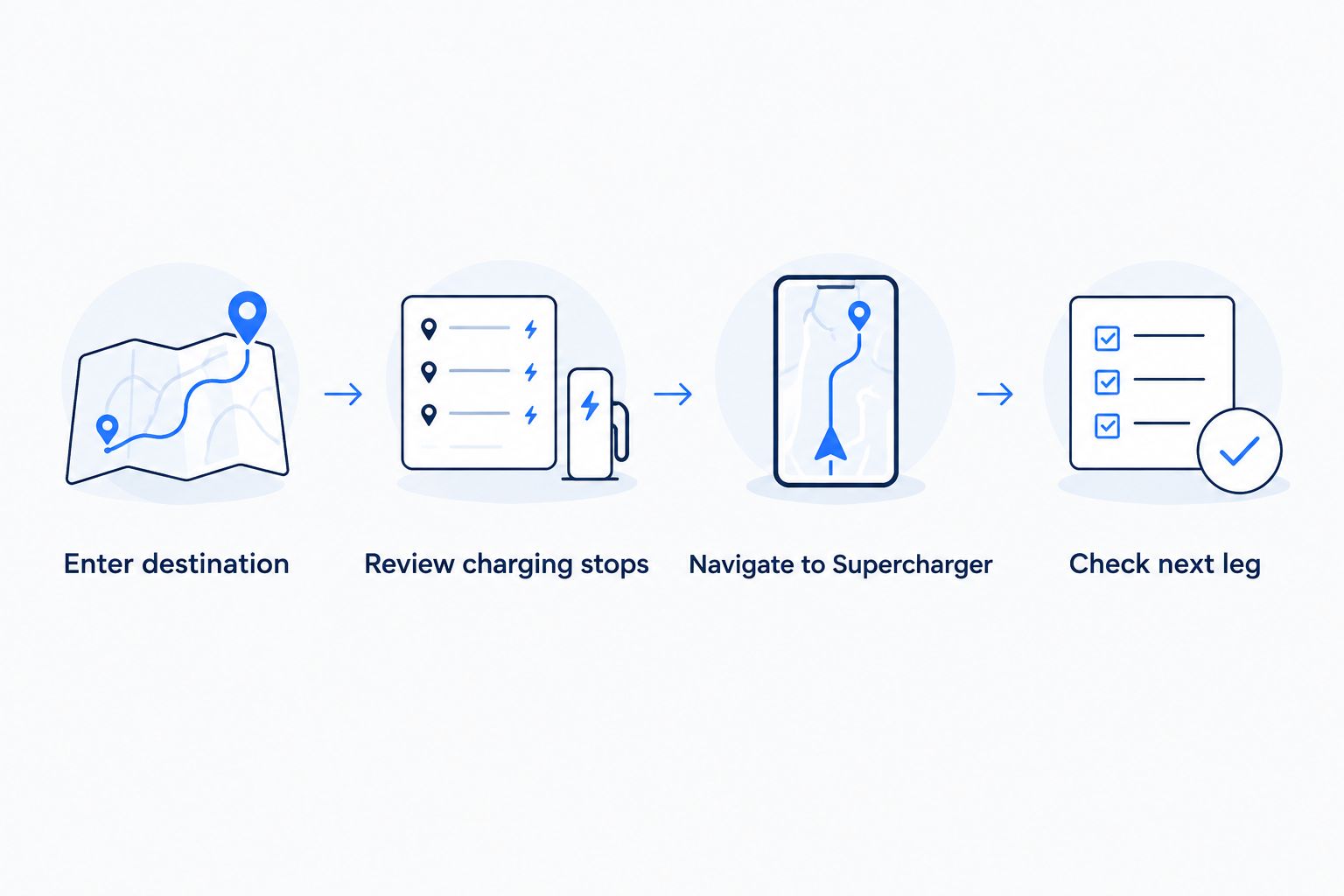
Phone-to-car destination sharing
Phone planning is useful when the destination arrives in a hotel confirmation, calendar invitation, or message. The goal is to transfer the address accurately, then let the Tesla calculate the driving and charging route.
- Confirm your rental has been added to your permitted Tesla app access. Follow the Tesla app rental connection guide before trying to send destinations.
- Open the destination on your phone and verify the street address. A business name alone can point to the wrong branch or entrance.
- Where supported, use the phone’s sharing function and choose Tesla to send the destination to the vehicle.
- Open the destination in the vehicle’s navigation. Confirm the address and review the charging route using the rental’s current battery level.
- Enter any remaining intermediate stops in the vehicle. Do not assume that sharing a destination transfers every stop from another mapping app.
Expected result: the vehicle receives the intended destination, and its navigation calculates the charging-aware route.
If sharing is not supported by the phone app you are using, enter the address through Navigate. Manual address entry is a valid fallback; there is no need to build an automation simply to transfer a hotel location.
For Suiteescape luxury Tesla rentals, confirm app access during the handoff rather than making your departure depend on it. In-car navigation remains the direct planning method.
Route updates when plans change
Recalculate after a destination change
The second workflow is updating an active itinerary. Use it when you change hotels, add a coastal detour, or decide to return to Los Angeles earlier.
- Park safely and replace or add the changed destination in navigation.
- Review the stop order. Remove an old destination if you no longer intend to visit it.
- Let navigation recalculate the route and charging requirements.
- Check the next charging stop and projected arrival charge before resuming the drive.
- Share the revised arrival plan with your passengers or host after reviewing the route.
Expected result: the charging plan matches the revised journey rather than the original itinerary.
This is the useful connection between route planning and charging: destination changes feed into the vehicle’s route calculation. It is not a promise that edits in every third-party itinerary app automatically synchronize with Tesla navigation.
For a 2026 weekend itinerary, keep optional stops flexible. Confirm the route after choosing the detour, and let the updated battery forecast determine the charging plan.
Troubleshooting
No Supercharger stop appears
Check whether navigation projects enough charge to reach the destination. Trip Planner does not need to add a charging stop to every route.
If the journey needs charging but no charging plan appears, check the Trip Planner setting where available and confirm that the full destination has been entered. A route to the first short stop does not represent the entire road trip.
The phone does not send the destination
Confirm that the Tesla app has access to the correct rental vehicle. Then verify that the phone’s sharing function supports sending the location to Tesla.
If that path is unavailable, enter the address on the touchscreen. Do not delay departure to troubleshoot an optional transfer method.
The route points to the wrong entrance
Check the street address and destination pin. Similar hotel names, large properties, and charging stations inside larger sites make precise destinations important.
For charging, select the actual Supercharger location. For lodging, confirm the arrival entrance with the property rather than treating the map pin as entrance instructions.
Projected arrival charge changes while driving
Tesla’s energy estimate changes as the journey develops. Speed, elevation, weather, and climate-control use affect energy consumption.
Follow the updated navigation guidance and review the next charging stop when it changes. Avoid treating the initial forecast as a fixed commitment.
The selected station does not suit the stop
Review another suitable charging location in navigation and recalculate the route before changing course. Check access and the vehicle’s arrival estimate for the replacement.
Meal preferences should fit around a workable charging plan. A restaurant near the route is not necessarily near the charging station you need.
Customize your workflow
Build the itinerary around destinations first, then refine the charging stops. That keeps the trip focused on where you want to go without turning every stop into a charger search.
For an LAX pickup, combine the vehicle handoff, luggage loading, and route review before departure. For business travel, put the meeting address into navigation and review charging around that fixed commitment. For a family trip, confirm the meal stop separately from the charging location.
Suiteescape’s unlimited miles support road-trip planning without a mileage allowance shaping every detour. Unlimited miles do not replace charging preparation, and FSD (Supervised) does not replace an attentive driver.
Plan your Los Angeles Tesla rental
Explore concierge delivery and unlimited-mile Tesla rentals for your road trip.
FAQ
What is the best Tesla Supercharger route planner for a rental?
Tesla’s in-car Trip Planner is the best starting point because it calculates the route using the vehicle’s current charge. Prepare destinations on your phone, then verify charging stops in the rental before departure.
Do I need to connect a separate app to Tesla Superchargers?
No separate charger-directory connection is required for Tesla’s built-in Trip Planner. Enter the destination in vehicle navigation and review the charging stops it adds when needed.
Can I send a road-trip destination from my phone to a rental Tesla?
You can use supported phone-to-car sharing when your Tesla app has the appropriate rental access. Confirm the destination in the vehicle afterward; do not assume another app’s entire itinerary transfers.
Why does my Tesla route show no charging stops?
A charging stop is unnecessary when navigation projects enough battery to reach the destination. Confirm the complete journey is entered and check Trip Planner where that setting is available.
Should I navigate to the restaurant or the Supercharger?
Navigate to the Supercharger when your immediate goal is charging. Selecting the charging destination allows the vehicle to prepare the battery when needed; check nearby restaurant access separately.
Does unlimited mileage mean I can skip charging planning?
No. Unlimited mileage removes a mileage allowance from the rental journey, but the vehicle still needs a charging plan for the distance and conditions ahead.
Can FSD (Supervised) handle the road trip without my attention?
No. FSD (Supervised) requires an attentive driver and does not make the vehicle autonomous. Configure the route while parked and remain responsible for driving throughout the trip.
One last thing
The most useful address to save is the overnight destination, not just the attraction you will visit first. A route ending at lunch does not tell you what the rest of the day requires.
Before your 2026 departure, enter the full driving day and inspect the final arrival estimate. Plan through to where you will sleep. Then adjust the charging route as your plans change.
Related guides
- Places to Supercharge a Tesla in Los Angeles
- Places to charge a rental Tesla near LAX
- Weekend getaways from LA in a Tesla road trip



[…] a longer drive, use the Tesla Supercharger route-planning guide to build charging into the itinerary. Unlimited miles do not remove the need to plan charging, and […]
[…] Connect Tesla Superchargers to your road-trip route planner […]
[…] Connect Tesla Superchargers to your road-trip route planner […]