Can Tesla Drive Itself? What FSD Actually Does
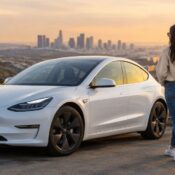
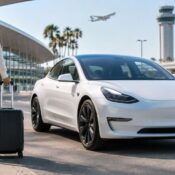
A Tesla can make an airport arrival, Pacific Coast Highway cruise, or cross-town dinner plan feel remarkably relaxed. But can Tesla drive itself? The honest answer is: not completely. Tesla’s Full Self-Driving capability can perform an impressive range of driving tasks, yet the person in the driver’s seat remains responsible for the vehicle at all times.
That distinction matters, especially when you are stepping into a Tesla for the first time. Full Self-Driving, often called FSD, is designed to reduce the effort of driving, not remove the need for an attentive driver. Think of it as a highly capable driving assistant that can navigate much of the journey while you continue to supervise every mile.
Can Tesla Drive Itself Without a Driver?
No. Tesla vehicles currently require a licensed, alert driver who is ready to take control immediately. Even when FSD is operating, you must watch the road, keep your attention on traffic conditions, and follow all local laws. The system monitors driver attentiveness and may issue visual and audible prompts if it detects that you are not engaged.
This is not a limitation to ignore for the sake of a futuristic story. Los Angeles is a dynamic place to drive: lanes split without much warning, motorcycles filter through traffic, and construction patterns can change overnight. FSD can be exceptionally helpful in these settings, but human judgment remains the final layer of safety.
The right expectation is not to sit back and become a passenger. It is to enjoy a vehicle that can take on much of the routine work while you stay present and prepared.
What Tesla Full Self-Driving Can Do
When enabled and conditions allow, Tesla FSD can steer, accelerate, and brake while following a navigation route. Depending on the vehicle software and the road environment, it may navigate city streets, handle turns, respond to traffic controls, change lanes, enter or exit highways, and park in certain situations.
For a visitor, the practical benefit is often felt in small moments. The car can help maintain a comfortable following distance in unfamiliar traffic, follow navigation through a complicated interchange, and manage the stop-and-go rhythm of a busy freeway. On a longer drive, that support can make the experience feel more composed and less tiring.
FSD also works alongside features many drivers already recognize, including traffic-aware cruise control and Autosteer. These tools are not separate excuses to look away from the road. They are different levels of assistance that make driving more fluid when used correctly.
Capabilities can vary based on vehicle, software version, weather, road markings, connectivity, and the environment around you. A well-marked, dry road with predictable traffic gives the system more to work with than a rain-slicked street, faded lane lines, or an active construction zone.
It Can Make Decisions, but Not Every Decision
Tesla’s system processes cameras, map data, and the movement of nearby road users in real time. It may slow for a vehicle ahead, recognize a traffic signal, or choose a lane to stay on route. Those actions can look remarkably human-like from behind the wheel.
Still, there are situations where its choices may be cautious, unexpected, or simply not the choice an experienced local driver would make. A pedestrian stepping near a crosswalk, a temporary detour sign, unusual road debris, or aggressive merging traffic can demand immediate human input. If the vehicle does something you do not expect, take over smoothly and safely.
What FSD Does Not Do
FSD does not turn a Tesla into a driverless taxi. It does not give you permission to use your phone, nap, turn around to speak with passengers, or leave the driver’s seat. You are also responsible for parking legally, choosing safe drop-off locations, and responding to emergency vehicles, law enforcement, road closures, and hazardous conditions.
It is wise to treat weather with extra respect. Heavy rain, dense fog, glare at sunset, or dirty cameras can affect how any camera-based driving assistance system sees the road. In these moments, manual driving is often the more comfortable choice. The same goes for narrow parking garages, complex valet zones, and roads where you cannot clearly see lane boundaries yourself.
FSD is at its best when it supplements an attentive driver. It is not a substitute for one.
How to Use FSD Comfortably in a Rental Tesla
The best first experience starts before the vehicle moves. Take a few minutes to adjust your seat, mirrors, steering wheel, climate settings, and navigation. Familiarize yourself with the screen, including the speed display, drive controls, turn-signal buttons, and the visualization that shows what the vehicle detects around it.
If you are new to Tesla, begin on a straightforward road rather than activating FSD as you pull into dense traffic. Let yourself get comfortable with the vehicle’s steering feel, regenerative braking, and accelerator response first. Regenerative braking can feel different from a conventional gas vehicle because the Tesla slows noticeably when you ease off the accelerator.
Once you are comfortable, activate FSD only when the road and your attention support it. Keep your eyes forward, hands ready, and foot positioned to respond. Do not assume the vehicle has seen every detail just because an object appears on the display. The screen is useful context, not a replacement for looking through the windshield.
At The Suite Escape, guests can experience Tesla’s technology as part of a polished rental journey, rather than as a complicated add-on. Profile synchronization can help returning Tesla drivers bring familiar preferences into the vehicle, while responsive support gives first-time guests a real person to contact if a question comes up during the trip.
Taking Over Is Part of Smart Use
There is no prize for keeping FSD engaged. Disengaging when a situation feels uncertain is exactly what a responsible driver should do. You can take control by steering, braking, or otherwise following the vehicle’s displayed instructions for your specific model and software.
A confident handoff is smooth and uneventful. Check mirrors, assess your surroundings, and take over early rather than waiting for a difficult situation to develop. If the road ahead becomes confusing to you, it may be confusing to the system as well.
Is FSD Worth Trying on a Los Angeles Trip?
For many travelers, yes. It can be a memorable part of renting a Tesla, particularly if you are curious about EV ownership or want a more advanced driving experience than a typical rental offers. The feature is especially appealing on longer freeway stretches and familiar navigation routes, where its ability to manage speed, spacing, and lane positioning can take some pressure out of the drive.
Yet the value depends on what you want from your time behind the wheel. If your goal is to enjoy a quiet, high-tech drive with support on the route, FSD can add real appeal. If you expect hands-free transportation from curb to destination, it will not meet that expectation.
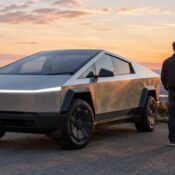
The vehicle choice also shapes the experience. A Model 3 feels agile and easy to place in the city. A Model Y brings extra room for luggage, beach gear, or family plans. A Cybertruck delivers a bolder presence and a very different view of the road. Across each option, the principle stays the same: advanced assistance is there to elevate the drive, while you remain the driver.
A Better Way to Think About Tesla Autonomy
Tesla FSD is most enjoyable when you approach it with curiosity and good judgment. Let it assist with the repetitive parts of the trip, but keep your attention where it belongs: on the road, the people around you, and the next decision.
That balance is what makes the technology feel genuinely premium. You are not giving up control. You are gaining a sophisticated co-pilot for the miles that lead to the part of the trip you came for.