

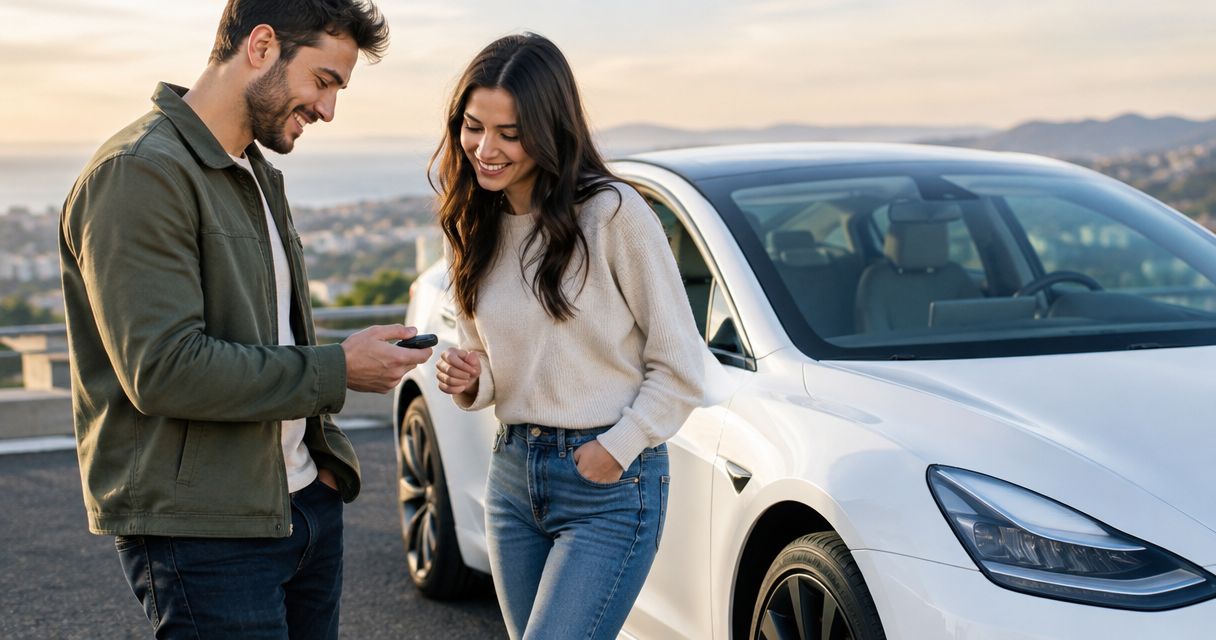
Yes, two people can share driving on one Tesla rental key when both are authorized to drive under the rental agreement. The key provides vehicle access; it does not approve an additional driver, so confirm both drivers before handing over the wheel.
- To share driving on one Tesla rental key, both drivers need authorization under the rental agreement.
- Tesla key cards and phone keys provide access, not additional-driver approval.
- Suiteescape suits Los Angeles travelers seeking concierge Tesla rentals with unlimited miles.
- FSD (Supervised) requires the person driving to remain attentive and responsible.
Why this matters
Sharing driving is useful when your Los Angeles itinerary includes airport pickup, family outings, and a road trip. But sharing access and sharing permission are different decisions. Settle driver approval first, then choose the simplest key arrangement.
For a 2026 trip, Suiteescape offers luxury Tesla rentals with concierge delivery and unlimited miles. Coordinate the driving arrangement alongside your LAX delivery details, rather than treating the handover as an automatic addition to the booking.
Can two people share driving on one Tesla rental key?
Yes: 2 authorized drivers can take turns using 1 shared Tesla rental key. Each person must satisfy the rental provider's requirements, and the shared key must remain accessible to whoever is driving.
Tesla's key system controls access to the vehicle. The rental agreement controls who has permission to operate it. Possessing a working key does not replace the provider's approval or change the terms of insurance or protection.
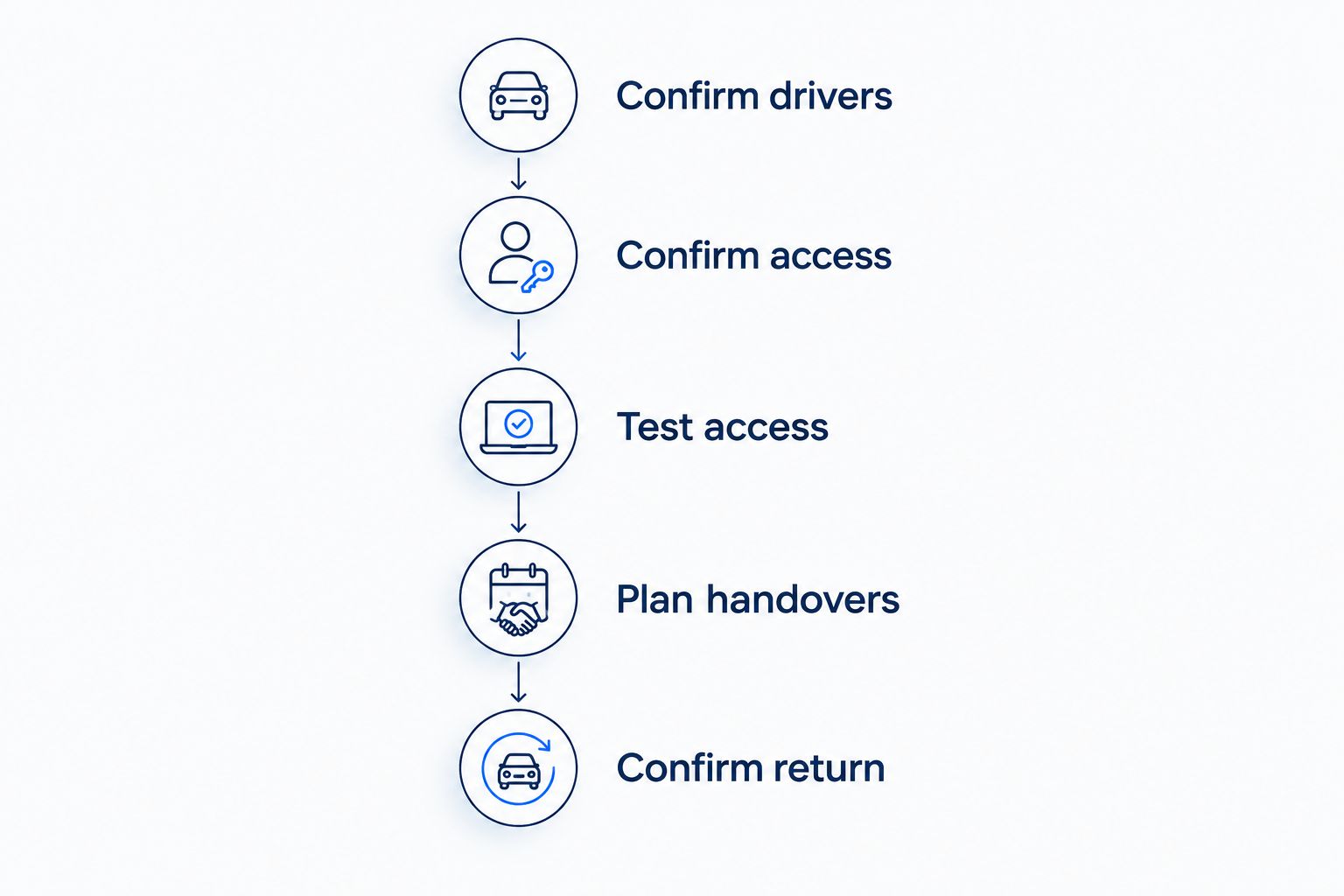
Use this sequence before your first shared drive:
- Confirm drivers. Tell the rental provider that both people intend to drive. Ask what approval and documentation each person needs.
- Confirm access. Establish whether the rental includes a key card, phone-key access, or another supported arrangement. Do not assume a second phone can be added.
- Test access. Have each authorized driver demonstrate how to unlock the vehicle and prepare it to drive using the agreed method.
- Plan handovers. Decide where the key stays and how you will transfer it when changing drivers.
- Confirm return. Check how to return physical keys and end any temporary app access when the rental finishes.
Keep the approval confirmation with your booking details. You want a clear answer about each driver, not an assumption based on who can unlock the car. Complete this step before either person starts driving.
One shared key card: Best for drivers staying together
A Tesla key card can provide access without tying the handover to one person's phone. For two authorized drivers traveling together, that makes the physical transfer straightforward: the person taking the wheel also takes responsibility for the card.
The advantage is simplicity. The limitation is that a single physical card cannot accompany both people when they separate. If one person takes the card into a restaurant while the other returns to the vehicle, your access plan no longer matches your movements.
Best for: couples, friends, or family members who stay together and change drivers at planned stops.
Before departure, ask for a demonstration of the supplied card on the specific vehicle. Tesla models use designated key-card reading locations, and the handover should show you where to use the card for entry and driving. Familiarity with a different Tesla is not a substitute for checking the rental.
Carry the card where the current driver can retrieve it. Avoid leaving it with the passenger who regularly steps away first. A small, consistent habit makes the arrangement easier than repeatedly searching bags at every stop.
Phone-key access: Best for approved individual access
A Tesla phone key connects vehicle access to a compatible phone after setup. It is convenient when the rental provider supports that arrangement, but adding another person's phone requires a separate access conversation.
The advantage is access through your own device. The limitation is dependence on the phone and its setup. A second authorized driver is not automatically a second app user.
Best for: authorized drivers who want individual access and whose rental provider permits the required setup.
For your 2026 rental, check the supported process before downloading an app or changing vehicle settings. Ask whether both drivers can receive access, who performs the setup, and which functions are included. Your arrangement should come from the provider, not from trial and error in the vehicle.
The guide to connecting the Tesla app for rental keyless entry addresses the access side of the trip. Keep that separate from the additional-driver approval: completing one does not complete the other.
Shared card or individual phone access?
Choose access around how you will travel, not around which method sounds more advanced. A shared physical key suits a shared itinerary. Individual phone access deserves consideration when the provider supports it and your movements require separate access.
| Access arrangement | Best for | Main benefit | Practical limitation | What to confirm |
|---|---|---|---|---|
| One shared key card | Authorized drivers staying together | Direct physical handover | The card stays with only one person at a time | Both drivers are approved and know how to use it |
| Individual phone-key access | Authorized drivers needing individual access | Each approved user uses their own phone | Depends on permitted setup and a working device | The provider allows and configures each user's access |
| Phone key with an approved card backup | Drivers wanting another access method | A physical access option alongside the phone | Backup access still needs clear custody | A card is supplied and both drivers know its use |
None of these arrangements grants permission to an unapproved driver. Nor does a different access method establish different insurance terms. Choose the key setup after you understand the rental agreement.
Why shared-driving arrangements vary
The same Tesla key can work for a simple handover, while the rental arrangement still needs separate confirmation. These are the decisions that shape your plan:
- Driver approval. Each intended driver must meet the provider's requirements. Ask about both people at booking.
- License documentation. Confirm which documents each driver must present, especially when someone holds a foreign license.
- Vehicle access. Establish which key method the provider supplies and whether individual phone access is permitted.
- Delivery coordination. For LAX or another Los Angeles handover, explain who will collect the vehicle and who intends to drive it.
- Trip planning. Unlimited miles address mileage, not driver authorization. Keep those two parts of the booking separate.
For 2026 travel, use the terms attached to your actual reservation. Another traveler's experience does not establish permission for your booking. The answer you need is whether your two named drivers are approved for this rental.
What should you confirm before LAX delivery?
A smooth airport handover starts with a complete driving plan. Send the provider your intended arrangement before arrival: who booked, who will receive the car, and who will drive during the trip.
Ask how both drivers complete any required checks. Also confirm whether the provider needs both people present at delivery or accepts a different verification process. Do not assume the person receiving the vehicle can approve the other driver on the provider's behalf.
Keep these questions together:
- Are both intended drivers approved for this reservation?
- What documents does each person need to provide?
- Which access method will be handed over?
- Can each approved driver receive phone access?
- What happens to app access and physical keys at return?
If your flight itinerary changes, update the delivery arrangement as well as the arrival details. The provider needs an accurate picture of who will receive and operate the car. That coordination matters more than deciding in advance which person gets the first turn driving.
How do you switch drivers during a Tesla road trip?
Park before changing drivers, then transfer access and reset the driving position. The incoming driver should understand the controls before pulling away, even if the outgoing driver has already explained them.
Use a short handover routine:
- Park. Choose an appropriate place to stop and put the vehicle in Park.
- Transfer. Pass the shared card to the incoming driver, or confirm that person's approved phone access works.
- Adjust. Set the seat and mirrors for the person taking the wheel.
- Review. Check the destination, charging plan, and controls relevant to the next part of the journey.
Driver profiles help personalize settings, but they are not rental permissions. A profile bearing someone's name does not establish that the person is an authorized driver. Treat profiles as a comfort feature, not an approval record.
For a 2026 road trip, plan switches around your existing stops rather than turning the handover into a separate task. Keep the access method consistent. Both drivers should know what to do without relying on the other person's phone or memory.
Can the second driver use FSD (Supervised)?
An authorized second driver must follow the rental terms and understand the feature before using FSD (Supervised). FSD (Supervised) is driver assistance, not autonomous driving; the person behind the wheel must remain attentive and responsible.
Changing drivers does not transfer responsibility to the vehicle. The incoming driver needs to understand how to engage and disengage the feature and respond to the vehicle's prompts. A shared key does not demonstrate that understanding.
At handover, ask for an explanation of the functions included with your rental. The relevant question is not simply whether the vehicle has the feature. It is whether each driver understands its supervised use on the trip.
Does unlimited mileage let anyone drive the rental?
No. Unlimited mileage concerns how far you can travel under the rental's mileage terms; driver authorization concerns who can operate the vehicle. One does not replace the other.
For two people sharing a longer journey, that distinction is useful. You can plan driving breaks and destinations around your itinerary while still keeping the approved-driver list clear. Confirm both before departure.
A concierge rental with the driving plan settled
Suiteescape is best for Los Angeles travelers seeking concierge Tesla rentals with unlimited miles. Its stated offering includes Model Y, Model 3, and Cybertruck rentals, concierge delivery, FSD (Supervised) included, and 450+ five-star reviews.
Those benefits fit an LAX arrival followed by city driving or a road trip. The additional-driver arrangement still needs direct confirmation. Concierge delivery, unlimited miles, and included driver assistance do not establish a policy for sharing keys or adding drivers.
When booking Suiteescape for a 2026 visit, explain your shared-driving plan alongside your delivery request. Ask for approval of both drivers and a clear access demonstration. That gives you a useful handover rather than an unresolved question at the airport.
Plan your Los Angeles Tesla rental
Coordinate concierge delivery, your itinerary, and approval for everyone who intends to drive.
FAQ
Can two people share driving on one Tesla rental key?
Yes, two people can share driving on one Tesla rental key when both are authorized under the rental agreement. Confirm each driver’s approval before transferring the key or taking turns.
Does handing someone my Tesla rental key make them an approved driver?
No, handing someone a Tesla rental key provides access, not rental authorization. The provider must approve that person under the booking’s terms.
Can both rental drivers use the same Tesla key card?
Yes, both authorized drivers can take turns using the same supplied key card. Keep the card with the current driver and confirm its operation during handover.
Can we add two phones as keys to a rented Tesla?
Ask the rental provider whether individual phone-key access is permitted and how it is configured. Driver approval does not automatically include permission to add a phone or change vehicle access.
Does a Tesla driver profile count as additional-driver approval?
No, a Tesla driver profile personalizes vehicle settings; it does not authorize someone under a rental agreement. Confirm approval separately with the provider.
Can the second driver use FSD (Supervised)?
An authorized second driver must follow the rental terms and understand FSD (Supervised) before using it. The driver must remain attentive and responsible because the feature is not autonomous driving.
Do unlimited miles cover an additional driver?
No, unlimited miles describe mileage terms, not permission for another person to drive. Confirm additional-driver approval separately from your road-trip mileage arrangement.
What should we ask before a shared-driving rental at LAX?
Ask the provider to confirm both drivers, required documents, the supplied key method, and the delivery process. Settle those details before arrival so the handover matches your driving plan.
One last thing
Put driver approval and key custody on the same pre-trip checklist. They solve different problems: approval establishes who can drive, while key custody ensures the person taking the wheel has access.
Before your first stop, agree where the shared card stays whenever you leave the vehicle. The simplest arrangement is the one both drivers can explain and follow without searching for the other person.
Related guides
- Renting a Tesla with a foreign driver's license
- Tesla rental insurance and protection plans
- Day trips from Los Angeles in a rented Tesla



[…] Sharing driving on a Tesla rental […]
[…] Can two people share driving on one Tesla rental key? […]
[…] Sharing driving on a Tesla rental […]
[…] Can two people share driving on one Tesla rental? […]