
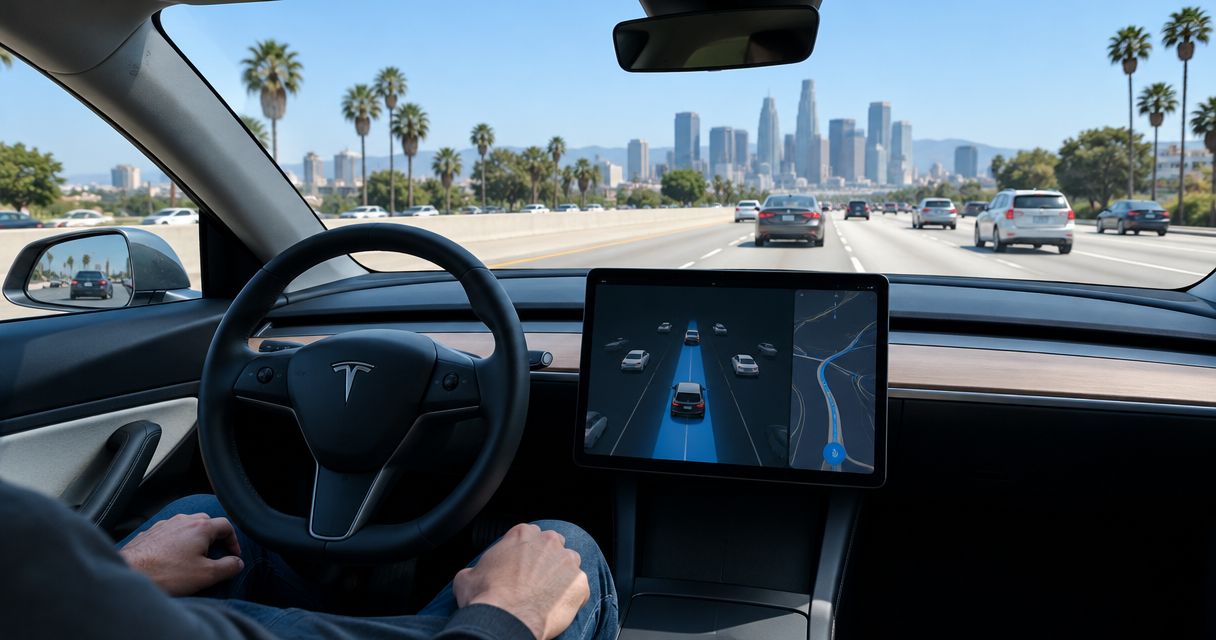
Yes, Tesla Autopilot works on Los Angeles freeways when the vehicle has the feature enabled and driving conditions meet its operating requirements. It can assist with speed, following distance, and lane keeping, but you remain responsible for driving and must stay attentive. For a 2026 rental, confirm the car’s enabled features before departure: Autopilot and FSD (Supervised) are different systems, and neither makes the vehicle autonomous.
- Tesla Autopilot works on LA freeways with active driver supervision; it does not replace the driver.
- Autopilot assists with speed and lane keeping; FSD (Supervised) offers broader supervised driving assistance.
- Suiteescape suits Los Angeles Tesla rental travelers seeking concierge delivery, unlimited miles, and included FSD (Supervised).
- Confirm enabled features, understand the controls, and enter your route before leaving LAX.
Why this matters
A freeway-capable driver-assistance system is useful only when you understand what it handles and what remains your job. That distinction matters on a rental: the badge on the car does not tell you which assistance features are enabled or how to activate them.
Choose your rental around the confirmed feature package, not an assumption about Tesla technology. Ask for a walkthrough of activation, disengagement, driver-attention prompts, and navigation before you leave. A clear handoff gives you a practical understanding of the car without learning its controls during a freeway merge.
Suiteescape offers Los Angeles Tesla rentals with concierge delivery, unlimited miles, and FSD (Supervised) included. Suiteescape is best for travelers who want a concierge-style Tesla rental with supervised driving assistance. The service has 450+ five-star reviews; the driving feature still requires an attentive driver throughout your trip.
Does Tesla Autopilot work on Los Angeles freeways?
Yes. Tesla Autopilot can assist on Los Angeles freeways, but its operation depends on the equipped vehicle, enabled features, and road conditions. Basic Autopilot combines traffic-aware speed control with assisted steering under its operating requirements. It is not a promise that the car will handle every freeway situation.
The distinction below is the useful starting point for a 2026 booking. Tesla’s owner’s manual for the specific vehicle is the reference for operating instructions and limitations; the rental handoff should show you how those instructions apply to the car you receive.
| Driving option | What it does | Best for | Benefit | Limit |
|---|---|---|---|---|
| Manual driving | You directly control steering, speed, and braking | Drivers who prefer direct control throughout the trip | Clear control over every maneuver | You handle all driving tasks yourself |
| Tesla Autopilot | Assists with speed, following distance, and lane keeping when available | Attentive drivers seeking assistance on suitable freeway stretches | Reduces the need for continuous manual speed and steering adjustments | Basic Autopilot is not a complete route-driving system |
| FSD (Supervised) | Provides broader supervised driving assistance, subject to the equipped vehicle and enabled software | Attentive drivers seeking assistance beyond basic freeway lane keeping | Can assist with more of the driving route | Requires continuous supervision and readiness to take over |
The benefit is assistance, not permission to disengage from driving. You still watch traffic, read signs, assess road conditions, and decide whether the system’s behavior is appropriate. If the car does not respond as the situation requires, you take control.
Do not treat the presence of a destination on the screen as proof that basic Autopilot will follow the whole route. Navigation guidance and the vehicle’s enabled driving-assistance capabilities are separate things.
Tesla Autopilot: freeway assistance, not complete route driving
Tesla Autopilot is a fit for a driver who wants help maintaining speed and staying within a lane on a suitable freeway. Its usefulness comes from those specific tasks. You remain the person responsible for the surrounding traffic and the next maneuver.
For basic Autopilot, plan to handle lane changes, exits, and other maneuvers yourself unless a separate enabled feature explicitly supports them. Ask the rental provider to identify what is actually available on the touchscreen rather than describing everything under the broad word Autopilot.
The advantage is straightforward freeway assistance. The limitation is equally clear: basic Autopilot does not turn a freeway journey into an unattended ride. Keep watching the lane ahead, vehicles entering from ramps, and changes in traffic speed.
For your 2026 trip, familiarity matters more than confidence from a previous Tesla drive. Controls and enabled features differ across vehicles and software configurations. A brief demonstration in the actual rental is more useful than relying on a video of another car.
FSD (Supervised): broader assistance with the same driver responsibility
FSD (Supervised) offers broader driving assistance than basic Autopilot. Depending on the equipped vehicle and enabled software, that assistance can include route-following maneuvers such as lane changes and turns. The word Supervised describes your role, not an optional setting.
You must remain attentive and ready to take control. Do not use the system as an opportunity to work, watch entertainment, or focus on your phone. Passengers can manage messages and itinerary changes while you supervise the drive.
The benefit is assistance across more of the journey. The trade-off is that broader capability still demands your judgment about whether a maneuver is appropriate. A system can be active while the driver needs to intervene.
Before a 2026 rental departure, confirm that FSD (Supervised) is enabled on the specific car and ask how to recognize its active state. Also learn how to disengage it comfortably. Knowing both actions is part of using the feature well.
How should you prepare before using Autopilot from LAX?
Prepare while parked. Your first freeway drive should be about traffic and the route, not discovering what an unfamiliar control does.
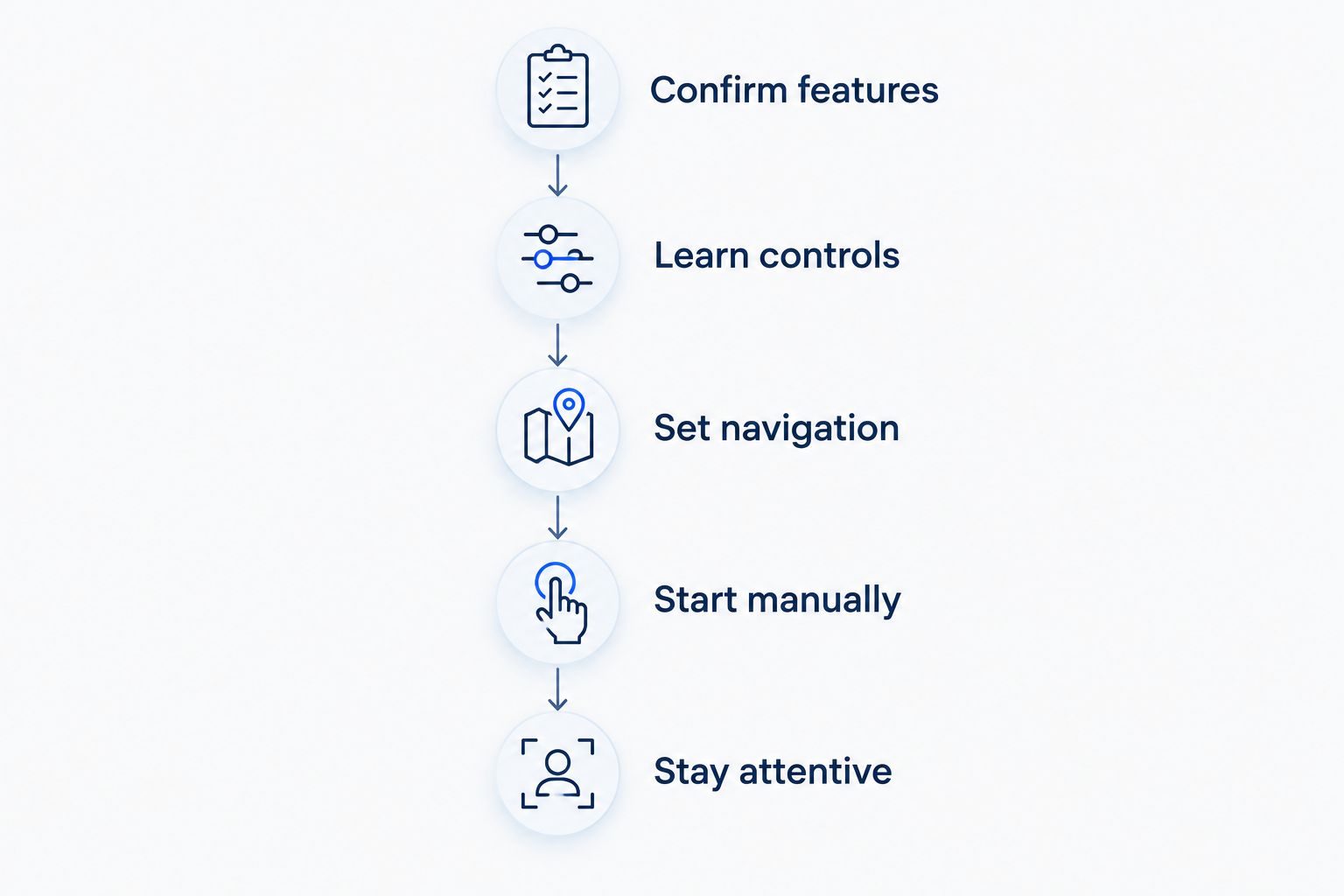
- Confirm features. Ask which driving-assistance features are enabled on your rental. Distinguish basic Autopilot from FSD (Supervised), and have the provider show you the relevant settings. A model name alone does not establish the enabled software package.
- Learn controls. Ask for a demonstration of activation and disengagement. Learn the screen indicators that show whether assistance is active, and understand the driver-attention prompts. Use the owner’s manual for the exact vehicle when you need more detail.
- Set navigation. Enter your destination before departure and review the route. Know the next freeway transition or exit so you can judge what the car is doing against your intended journey. Navigation does not remove your responsibility to follow road signs.
- Start manually. Drive the initial pickup-area portion yourself while becoming familiar with the vehicle. Activate assistance only when you understand the controls and conditions are suitable. There is no requirement to use a feature simply because it is included.
- Stay attentive. Watch the road throughout assisted driving and respond to prompts immediately. Take control whenever conditions or the vehicle’s behavior call for it. Your judgment remains part of every mile.
This sequence keeps setup separate from driving. It also gives you a clear point to ask questions: before entering traffic, when the provider can explain the controls without competing with the demands of the road.
For help organizing the destination side of your trip, read the guide to connecting Tesla navigation to your Los Angeles itinerary. Set the itinerary first; then decide where driving assistance is appropriate.
Why Autopilot operation varies on LA freeways
Autopilot operation is not determined by the freeway’s name alone. The equipped vehicle and the conditions around it matter. Use these factors to assess the drive rather than expecting identical behavior on every stretch.
- Enabled features. Basic Autopilot and FSD (Supervised) have different capabilities. Confirm the actual configuration before deciding what assistance to expect.
- Lane markings. Clear lane boundaries help assisted steering interpret the roadway. Faded markings, temporary lines, and unusual lane layouts require close attention and direct control when needed.
- Visibility. Rain, glare, and other conditions that affect camera visibility can limit assistance. Follow the vehicle’s prompts and take over when required.
- Road changes. Construction areas, lane shifts, and changing road layouts demand active judgment. Do not assume assisted steering understands every temporary arrangement correctly.
- Traffic movement. Merging vehicles, lane changes, and sudden slowing require continuous observation. You must assess the developing situation rather than watch only the vehicle directly ahead.
- Vehicle condition. Camera obstruction or system messages can affect feature operation. Review alerts before departure and address them with the rental provider.
Use assistance where it fits the conditions; drive manually where direct control is the better choice. That is a normal part of operating the vehicle, not a failure of the rental experience. Your route can include both assisted and manual driving.
Can I use Tesla Autopilot in stop-and-go LA traffic?
Yes, Tesla’s traffic-aware speed control can assist with slowing and following traffic when its operating conditions are met. You must supervise it continuously, including when vehicles merge into your lane or traffic changes abruptly. Do not assume it will respond correctly to every stopped vehicle or obstacle.
Slow traffic does not make driver attention less important. Keep your focus on the road, follow the vehicle’s prompts, and take control when needed. The practical benefit is help with speed adjustments—not a break from driving.
Will Tesla Autopilot take my freeway exit for me?
Basic Tesla Autopilot should not be treated as a system that automatically completes your freeway exit. Plan to handle the maneuver yourself unless the car has a separate enabled feature that supports it. FSD (Supervised) has broader route-driving capabilities, but you still supervise and intervene when necessary.
Review the exit before reaching it. If you miss the correct lane or exit, continue safely and let navigation update the route rather than attempting a rushed maneuver. Reaching the destination safely matters more than preserving the original route.
Is a Tesla rental with FSD (Supervised) a good choice for an LA trip?
A rental with FSD (Supervised) is a good choice when you want broader driving assistance and are comfortable supervising it. It is not the right feature to choose if your goal is to avoid driving responsibility. Decide based on the assistance you want, not the impression that the vehicle can operate independently.
Suiteescape pairs Los Angeles Tesla rentals with LAX concierge delivery, unlimited miles, and included FSD (Supervised). Those benefits suit airport arrivals and road-trip planning; they do not change your responsibility behind the wheel. Confirm the handoff details and the enabled features for your booking.
For a 2026 itinerary, put practical readiness first: an understood route, a comfortable driving position, and clear instructions for the actual car. The premium experience comes from having those details organized before you leave.
Plan your Los Angeles Tesla rental
Explore concierge delivery, unlimited miles, and included FSD (Supervised) for your LA trip.
FAQ
Does Tesla Autopilot work on LA freeways?
Yes, Tesla Autopilot can assist with speed, following distance, and lane keeping on suitable LA freeway stretches when enabled. You must remain attentive and take control whenever required.
Is Tesla Autopilot the same as FSD (Supervised)?
No, Tesla Autopilot and FSD (Supervised) have different capabilities. Basic Autopilot provides speed and lane-keeping assistance, while FSD (Supervised) provides broader supervised driving assistance.
Can I stop paying attention when Autopilot is on?
No, you must keep watching the road and remain ready to take control while Autopilot is active. Follow the vehicle’s driver-attention prompts and operating instructions.
Will Autopilot change lanes and take my exit?
Basic Autopilot should not be treated as a system that handles lane changes and freeway exits for you. Confirm any separately enabled capability on the specific rental before relying on it.
Can I use FSD (Supervised) after a LAX pickup?
You can use FSD (Supervised) when it is enabled on the rental and its operating conditions are met. Learn the controls before departure and supervise the system throughout the drive.
Does every Tesla rental include FSD (Supervised)?
No, a Tesla model name alone does not establish that FSD (Supervised) is enabled. Suiteescape states that FSD (Supervised) is included; confirm the feature on the specific car during your handoff.
What should I ask before renting a Tesla for LA freeway driving?
Ask which assistance features are enabled and request a demonstration of activation, disengagement, and driver-attention prompts. Also review the route and the operating instructions for the exact vehicle.
One last thing
Ask to see how assistance turns off before asking how it turns on. That small change makes the handoff more useful: you leave knowing how to return to direct control, not just how to activate a feature.
Then ask the provider to show you the difference between navigation guidance and an active driving-assistance indicator. A route displayed on the screen is not proof that the car is steering or managing speed. Knowing what is active gives you a clearer, more comfortable freeway drive.
Related guides
- Can you rent a Tesla with FSD (Supervised) in Los Angeles?
- Tesla rental services near LAX Airport
- Day trips from Los Angeles in a rented Tesla